

If you are facing issue related phone freezing, then you are in the right place, it can be caused by many reasons. We suggest you check and solve the issue according to the following methods:
1st Method- Remove background programs:
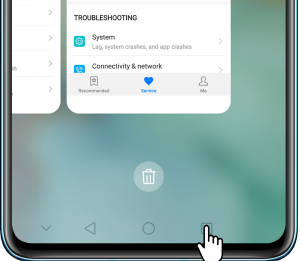
If you are using Three-key navigation: Tap on the box icon in the navigation bar at the bottom of the screen, and tap on delete icon to clear all background running apps.

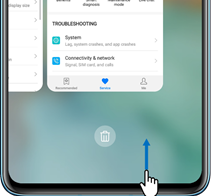
If you are using Gestures navigation: Swipe upwards from the bottom of the screen and hold to view recent tasks, tap on the delete icon to clear all background running apps.

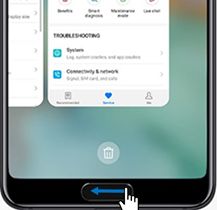
If you are using Navigation dock: Swipe left or right to view recent tasks, tap on to clear all background running apps.

2nd Method:
Cleanup
We suggest you to use the Cleanup option in the app to clean the phone’s storage space and maintain a minimum of 20% free storage space.
3rd Method: Back up Data and Restore the Factory Defaults
Go to Settings > System > Reset > Restore Factory Defaults > Reset Phone.
Input the lock screen password and Reset phone, then the phone will purge data and restart automatically. After completing the whole process, the phone will be restarted automatically.
Check More Huawei & Honor Tips and Tricks:
- How to extend Huawei Phone battery life
- How to enable WhatsApp dark mode?
- Not getting Huawei Watch faces? Here’s how to fix
- [Fixed] Honor 8X Update Problem
- How to Integrate Huawei HMS Core
- How to create a Huawei ID quickly
- How to Update Huawei Devices using HiCare App
- How to fix Common Errors in Huawei Health App
- How to hard reset Huawei or Honor smartphones
- How to use Wi-Fi Bridge to extend Wi-Fi