
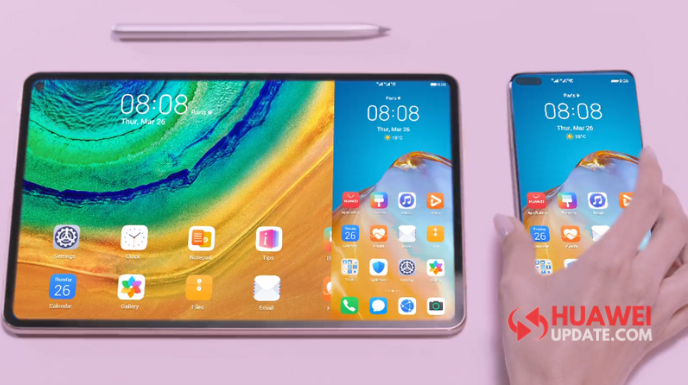
EMUI 10.1 brings lots of new features that we missed in the last Huawei EMUI 10 version. EMUI 10.1 mobile office includes several operations within a short time, easy, fast and reliable. Let’s explore more.
EMUI 10.1 Multi-screen Collaboration:
Huawei EMUI 10.1 brings a new way of sharing and collaboration, all you need is just tap the Huawei Share button/icon from the navigation as shown in the image below.
- Send large file in seconds.
- No compression and no data consumption.
- It supports a notification center in the corner of the device.
- With a simple tap, smartphones and computers converge instantly (Image 4,5).
- Drag and drop text instantly. (Image 6)
- Open photo directly with computer program (Image 7)
- Talk with your friend on a computer or seamlessly switch a call to your smartphone. (Image 8,9)
- Your phone call now collaborate with your MatePad (Image 10,11)
- Touch to share Music, Wi-Fi, Entertainment & more. (Image 12,13,14)

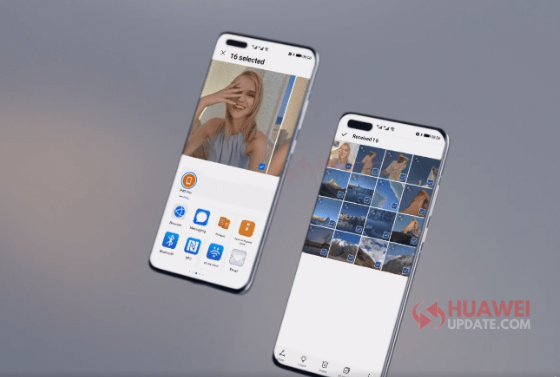


Huawei EMUI 10.1 top Features:
- Huawei New Themes
- New Vibrant AOD
- 3D Rendered AOD – Low power consumption
- UI More Smooth
- Convenient Multi-Window – (Drag & Drop Easily & Smooth)
- Mutti Device Control Panel (Connect Nearby devices and make a super device)
- Cross-Device Photo Gallery
- Huawei Share
- MeeTime (App for calling)
- More Secure
Related:
- EMUI 10.1: MeeTime High-Quality Communication
- EMUI 10.1: Latest News, Rollout Date, Features, and Eligible Devices
- EMUI 10.1.0.126: The first Huawei EMUI 10.1 version
- Huawei EMUI 10.1 Top 10 Features
- Comparison: Huawei P40 vs Huawei P40 Pro vs Huawei P40 Pro Plus vs Huawei P30 Pro vs Huawei Mate 30 Pro