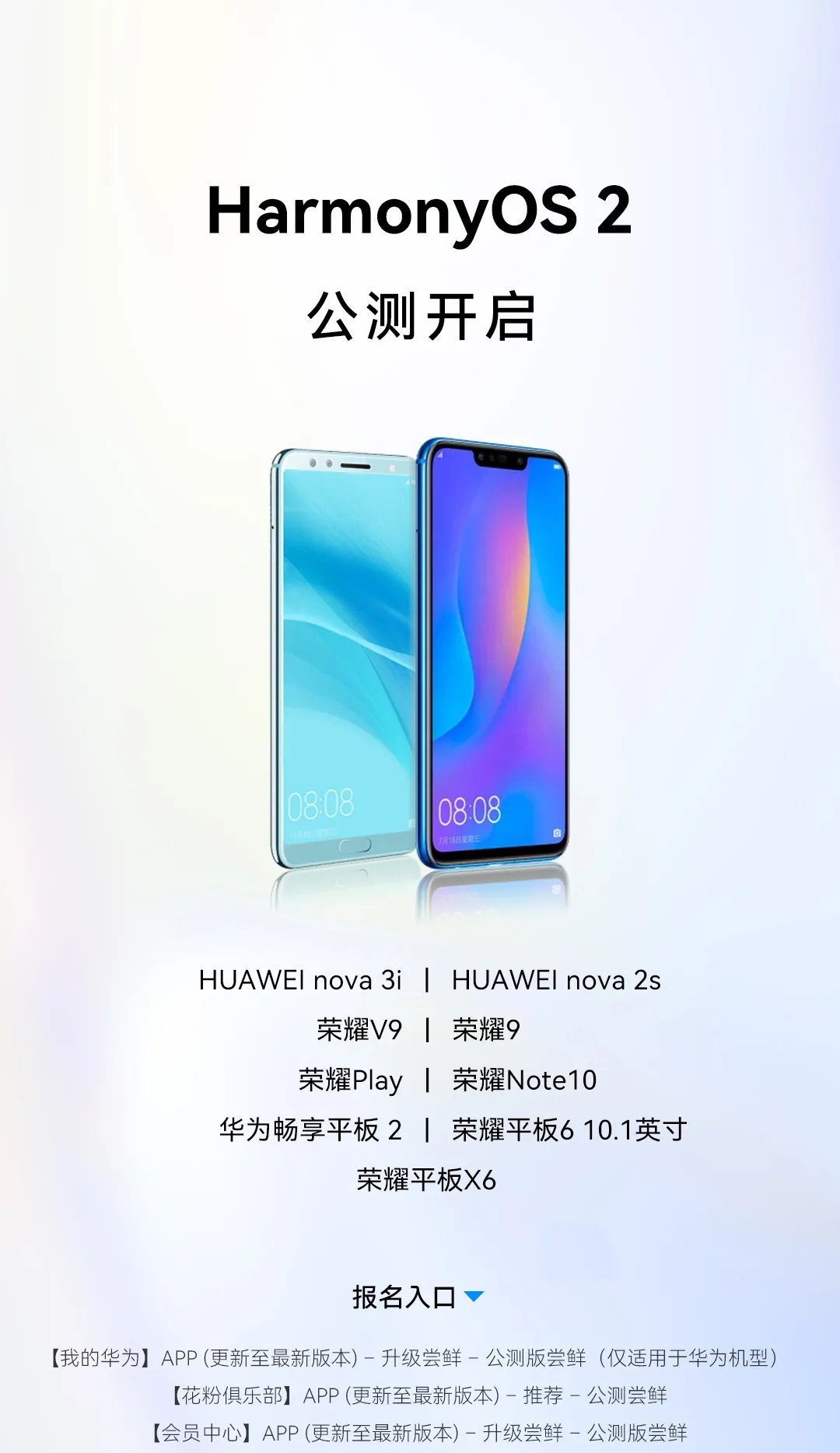
Huawei has kicked off the HarmonyOS public beta testing for the 9 Huawei and Honor devices. HarmonyOS 2.0 comes with new features including the impressive control panel, quick access menu, connected devices, smart controls, and more. There are service widgets that enable quick information on the go.
HarmonyOS public beta testing starts for 9 Huawei and Honor devices:
- Huawei Nova 3i
- Huawei Nova 2s
- Honor 9
- Honor V9
- Honor Play
- Honor Note 10
- Huawei Enjoy Tablet 2
- Honor Tablet 6 10.1
- Honor Tablet X6
In addition, the next batch of public beta lists will include Huawei Nova 8 SE Active Edition, Huawei Tablet M5 Youth Edition 8 inches, Huawei Tablet M5 Youth Edition 10.1 inches, Huawei Enjoy Tablet 10.1 inches, Honor Tablet 5 8 inches, Honor Tablet 5 10.1 inches, the open beta recruitment is expected to start at the end of November.

CHANGELOG
List of changes
The update package is automatically deleted after the update is complete. HarmonyOS is a new generation intelligent operating system that simplifies and enriches your life by facilitating seamless coordination between your devices while improving data protection and security in all areas. It is a versatile intelligence suitable for all scenarios that excels wherever life takes you!
Brilliant new interactions
[HarmonyOS Home Screen]
If you swipe up over an app icon with the lower widget bar, a service widget is generated, which you can resize, drag to a new position or add to your custom home screen.
[Control Center]
If you swipe down from the top right of the screen, you will be taken to Control Center. Access to device controls has been added to the keyboard shortcuts panel so that you can control all of your devices as easily as navigating on your tablet. Adds support for connections with the HUAWEI FreeBuds 4 earbuds (updated to the latest version), which allows for seamless collaboration between the tablet and the earbuds.
[Service Center]
If you swipe up from the lower left or right corner of the screen, you will be taken to the service center, where all your collected service widgets are stored and you have direct access to the services you want.
[Smart Folders]
Adds support for app categorization and management. Pressing a standard folder will bring up a large folder that gives you direct access to the apps you want.
[HarmonyOS fonts]
Adds support for stepless adjustments of the font weight and adjustment of the font size at any time.
All-Scenario Al Life
[Smart Office]
The multi-screen collaboration function has been expanded to support collaboration between a Harmonyos tablet and a Windows PC, with the two systems still running independently of each other. With this configuration, images and files can be dragged and dropped between the two connected devices, just like dragging and dropping files between folders. The transfer speed of Huawei Share has been increased to enable fast and secure file sharing between Huawei computers, mobile phones and tablets.
[Meetime calls]
Adds support for the multi-party calling feature so that audio and video calls can be freely used on Huawei phones and tablets.
Seamless performance
[Seamless experience]
All operations, including tapping and swiping, are smoother and more natural, and pictures and videos load faster too.
[Uninterrupted service]
Certain frequently used apps support the saving of the task status, which means that even after switching to another app, you can continue a previous task exactly where you left off.
Reliable security
[App guardian]
App Guard mode is enabled by default to ensure that all apps are thoroughly scanned for malicious behavior, security vulnerabilities, privacy risks, and other related behaviors during installation. This prevents risky applications from being installed while protecting the secure operating environment of the entire system.
[Data protection and security certifications]
The TEE OS security kernel has received CC EALS + certification, which indicates the highest level of security for a worldwide commercial operating system kernel. The HarmonyOS operating system has achieved CC EAL + security certification, the highest level of security in China.