






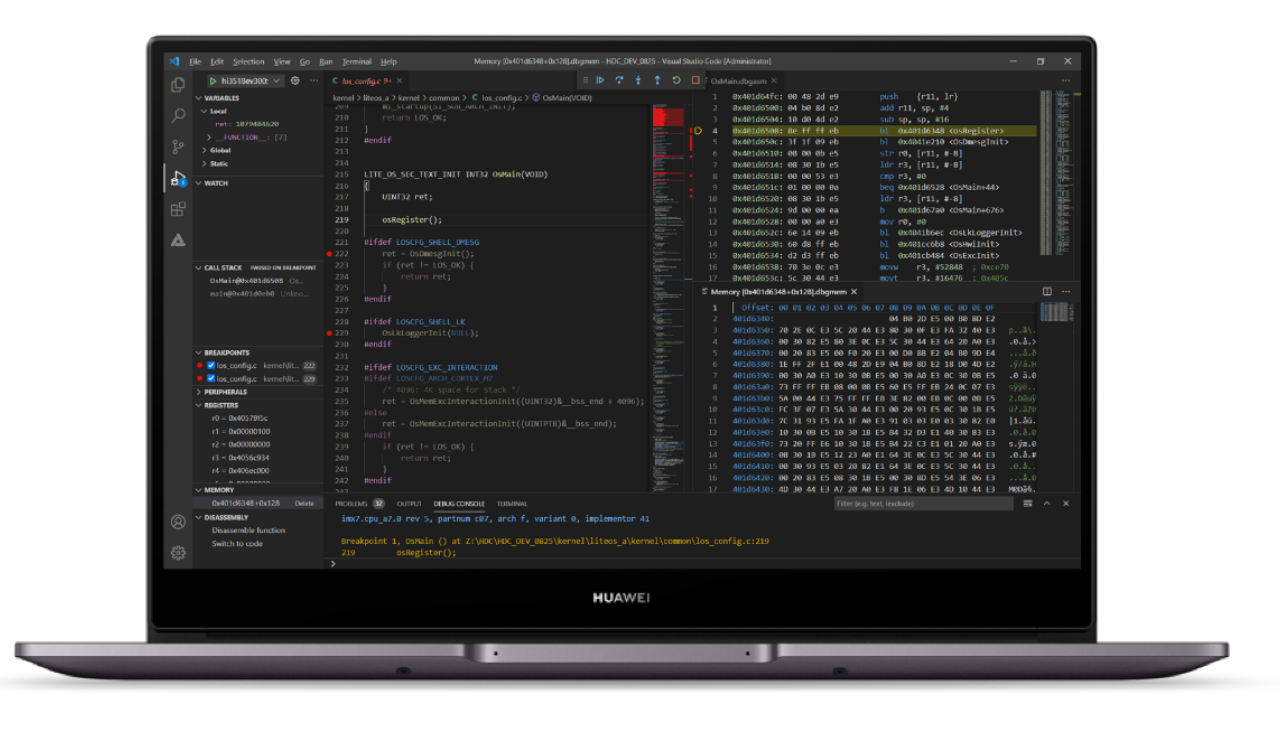
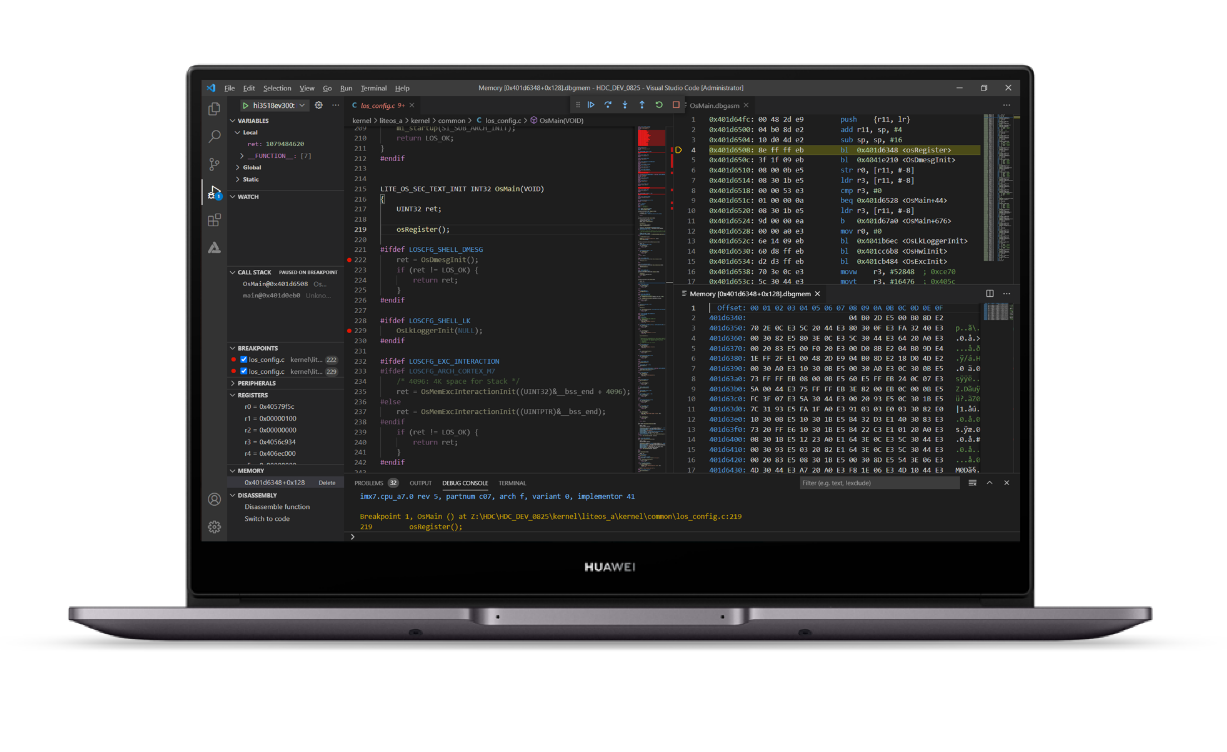
According to the information, Huawei DevEco Device Tool 3.0 Beta 2 has been officially released. Huawei’s DevEco Device Tool is a one-stop integrated development environment for smart device developers. It supports on-demand customization of HarmonyOS Connect / OpenHarmony components, and supports code editing, compilation, burning, and debugging. Performance monitoring and other functions, support C/C++ language, deploy on Visual Studio Code in the form of plug-ins, support Windows10 64-bit or Ubuntu18 and above.
Upgrade method
Open the installed historical version of Device Tool and click the upgrade link in the prompt message.
Download the new version directly from the HarmonyOS official website:
https://device.harmonyos.com/cn/develop/ide#download_beta
1. New visual Trace tool
When debugging a device application, if there is an unstable application operation (such as a deadlock), the developer can only locate the problem by adding print data and manually analyzing the log, which affects the development efficiency.
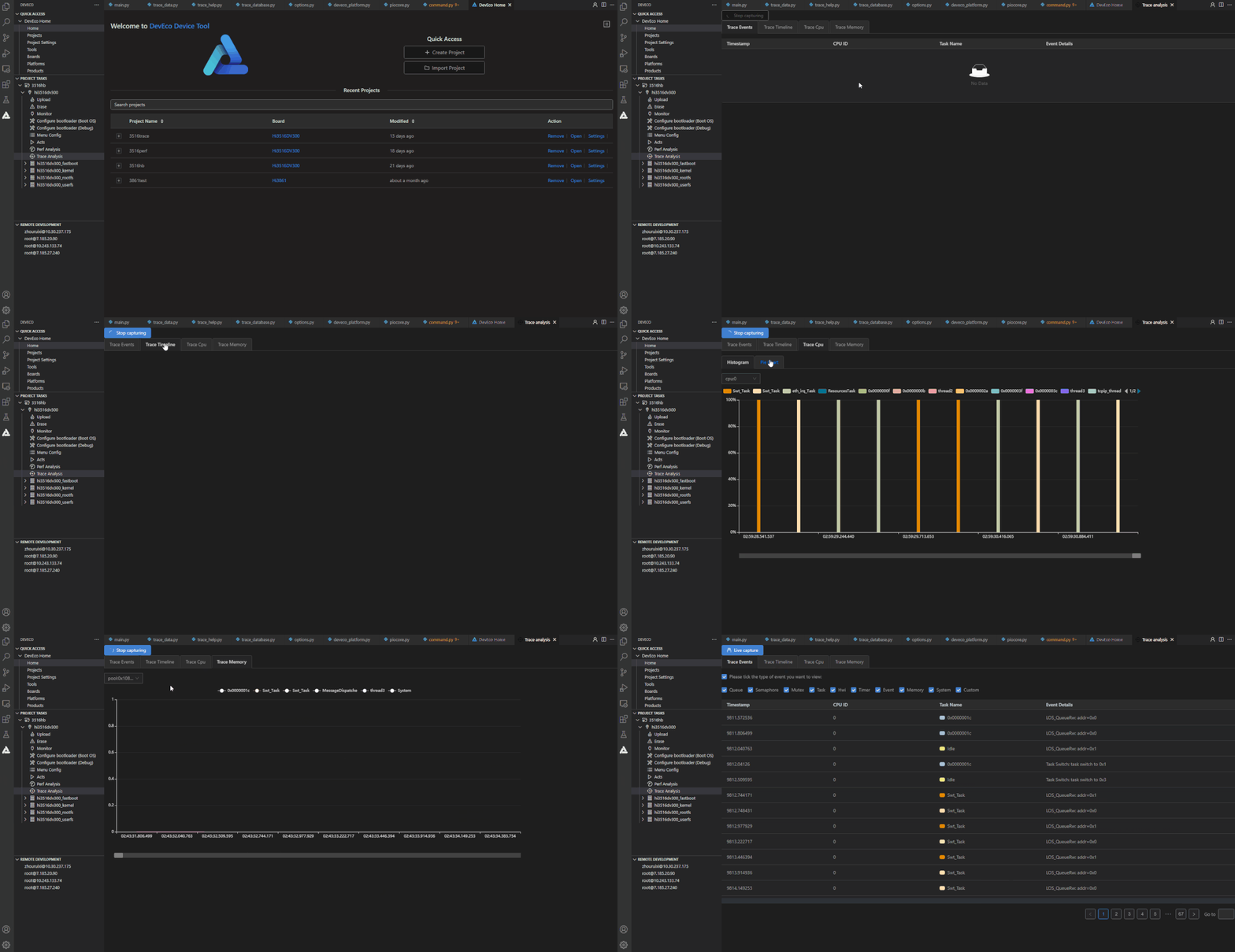
The 3.0 Beta2 version adds a visual Trace tool that supports Hi3516DV300 and Hi3518EV300 development boards. The tool uses event information view, CPU load view, memory monitoring view, and task trajectory view to visually reflect event details, CPU percentage, memory trend graph, and task switching trajectory. Developers can use the visual Trace tool to better understand the system and assist in locating the unstable problem of the program, thereby greatly improving development efficiency.
2. Newly added Perf performance analysis tool
During the testing process, developers often encounter problems such as high CPU usage and inability to locate performance bottlenecks. In order to avoid these problems, developers often need to pay attention to performance usage during the development process.
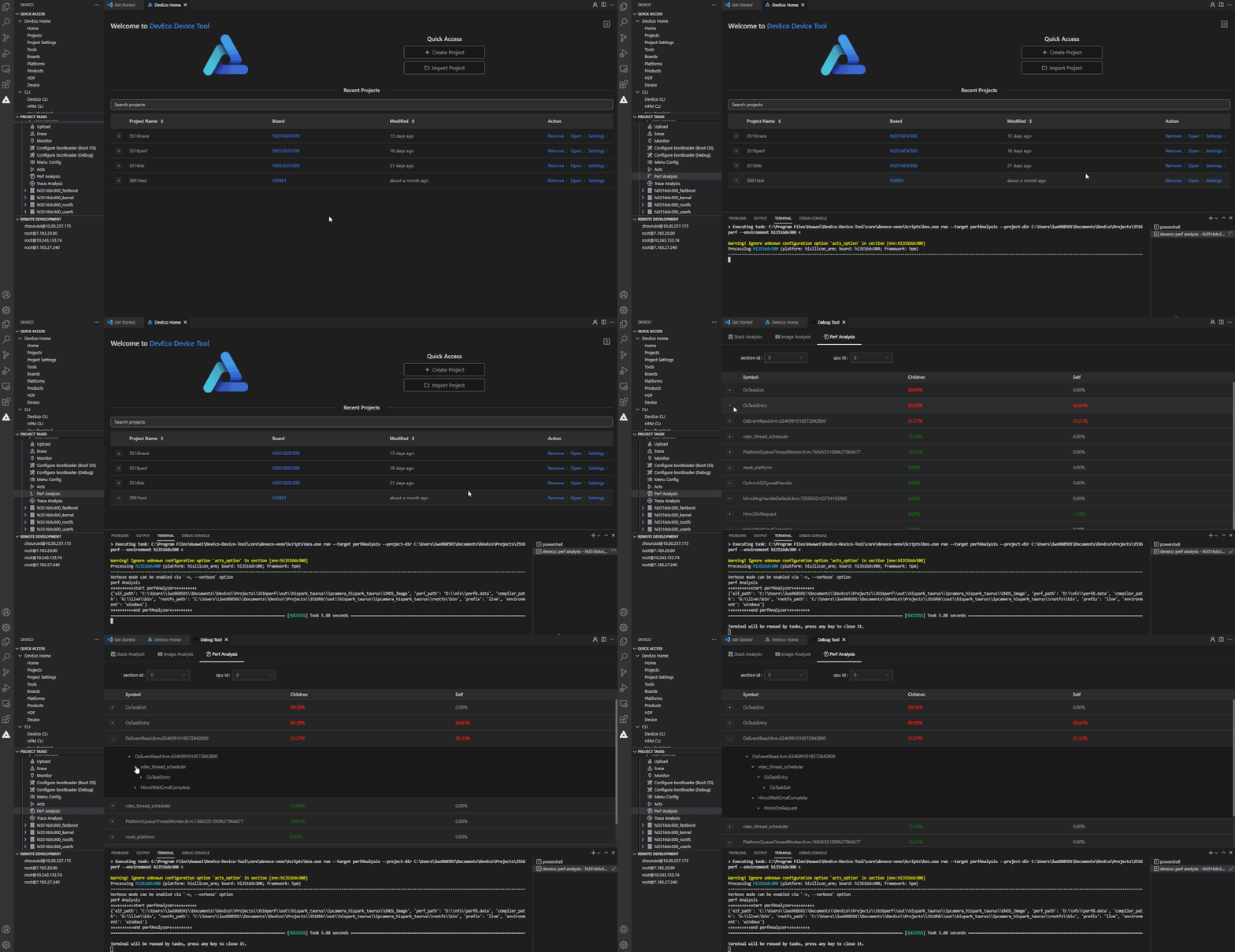
This 3.0 Beta2 version adds a Perf performance analysis tool that supports Hi3516DV300 and Hi3518EV300 development boards. This tool collects the number of event occurrences, execution time, and context information through counting mode and sampling mode, and then analyzes hot functions and hotspots. Paths and other information help developers identify performance bottlenecks and assist developers in optimizing application performance.
The tool supports three types of sampling events:
Hardware PMU (Performance Monitoring Unit, performance monitoring unit) events: collection cycle number (cycle) and cache amount (cache).
Software management sampling events: collecting interrupts and memory request times, interrupt and memory request occurrence probability.
High-precision periodic events: Events are sampled in a fixed period, with the time accurate to microseconds (us).
3. Newly added the application compatibility test suite of the Hi3861 chip-based development board acts.
In order to ensure that partners’ devices and applications can run stably on HarmonyOS, while providing a consistent interface and business experience, partners’ devices and applications need to undergo a series of compatibility tests before they are officially released.
In order to ensure that the device application software developed by partners can run stably on HarmonyOS Connect / OpenHarmony, while ensuring interface consistency and high-quality business experience, a series of compatibility tests are required before the official release.
The 3.0 Beta2 version adds the application compatibility test suite acts, which supports the development board based on the Hi3861 chip. The purpose is to help terminal equipment manufacturers to detect the compatibility of the application with HarmonyOS Connect / OpenHarmony as soon as possible to ensure that the application meets HarmonyOS Connect during the entire development process. / OpenHarmony compatibility requirements.
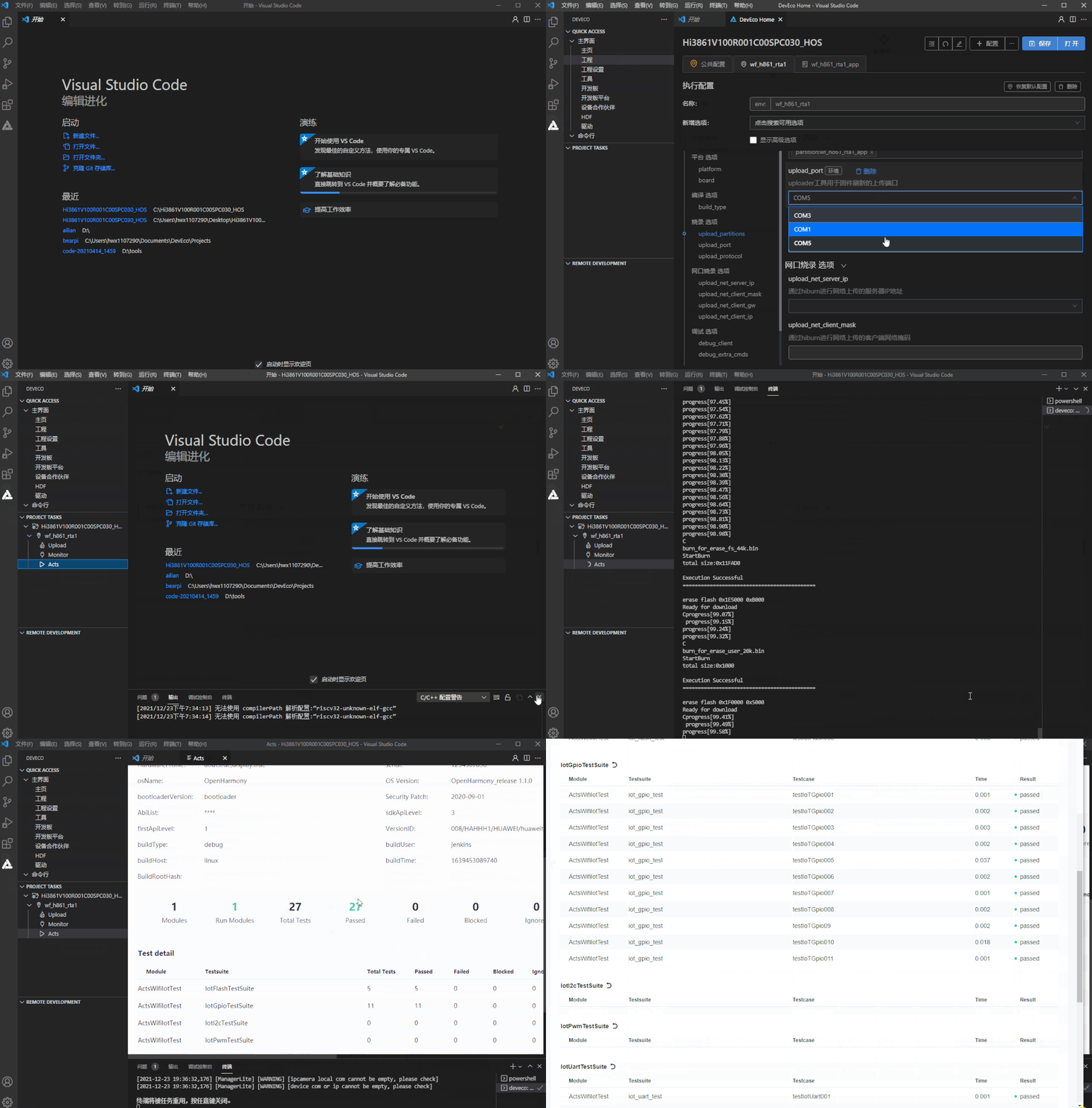
Specific usage: first add the compilation configuration in the configuration file config.json, then in the Linux environment, enter the project root directory to execute the xts sub-package compilation command, and finally copy the local burning tool HiBurn.exe to acts\resource\tools Under the directory, modify the configuration of the acts\config\user_config.xml file. The next operation is shown in Figure 3.
4. List of new functions of HUAWEI DevEco Device Tool
New features:
The new visual Trace tool based on Hi3516DV300 and Hi3518EV300 development boards can clearly understand the event details of system operation, CPU proportion, memory trend graph and task switching trajectory, and better understand the unstable operation of the system and auxiliary positioning program.
The new Perf performance analysis tool that supports Hi3516DV300 and Hi3518EV300 development boards is added to help developers quickly and effectively identify performance bottlenecks and assist system performance optimization.
The new application compatibility test suite acts based on the Hi3861 chip-based development board helps terminal equipment manufacturers to detect the compatibility of the application with HarmonyOS Connect / OpenHarmony as soon as possible, and ensure that the application meets the compatibility requirements of HarmonyOS Connect / OpenHarmony during the entire development process.
Added support for HH-SCDAYU200 development board based on RK3568 to compile in Linux environment and burn in Windows environment, support XR806 based development board to compile in Linux environment and burn in Linux/Windows environment.
Enhanced features:
Since the components (Node.js and HPM) are integrated in the integrated installation tool (DevEco Device Tool Installer), developers only need to check the required components to automatically download and install the components to build the IDE environment.
Based on the development board of Hi3861 chip, the programming parameter “Baud rate” supports setting to 921600. Optimize the integrated installation function, developers can automatically install DevEco Device Tool without manual configuration.
During the all-in-one installation process, the default download source of Python is updated to Huawei Cloud, which is convenient for domestic users to obtain and enhance user experience.
Fixed issues:
Fixed the problem that the development board based on Hi3861 chip, after clicking build in the Linux environment to compile, select the hiburn-serial protocol to burn in the Windows system, the burn failed.
Fixes the problem of downloading failure due to abnormal log when Windows is installed in the default path and clicking Upload.
Fixed the problem that abnormal pop-ups appeared when clicking Monitor after the Windows platform was successfully burned.
Fixed the problem that the stack analysis and mirror analysis of the development board based on the Hi3861 chip cannot be used.
Fixed the problem that the DevEco Device Tool Home page cannot be loaded when there is a DevEco-Device-Tool folder in the root of the installation directory.
Fixed an issue where the Configure Bootloader could not be used normally due to spaces in the installation path.
Fixed the problem that multiple DevEco Device Tool Home interfaces appeared after clicking Remove to remove the project.
Fixed the problem that the Products function in DevEco Device Tool could not be used normally due to the expired certificate.
(Via)