







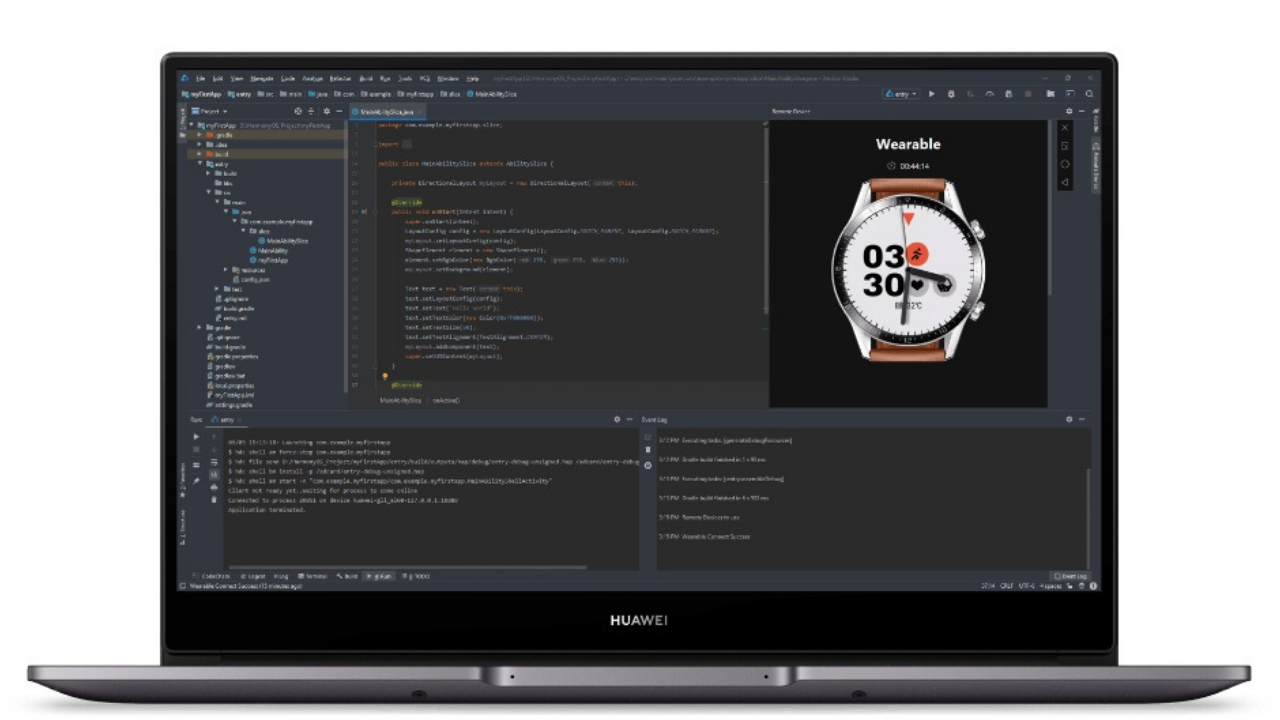
Huawei has officially launched the DevEco Studio 1.0 on the official website of Huawei Developers last September. HUAWEI DevEco Studio 1.0 supports developers to complete APP development, smart hardware device development for Huawei’s 1+8+N ecosystem, and distributed OS and more. By using DevEco Studio, developers can more efficiently develop applications with HarmonyOS distributed capabilities, thereby improving innovation efficiency.
On December 16, 2020, HUAWEI DevEco Studio released version 2.0 Beta 3. Huawei has begun sending the new version for DevEco Studio 2.1 Beta 3 that brings a number of new features and improvements, which help out developers and enhance the innovation efficiency.
DevEco is Huawei’s integrated development environment (IDE) that provides templates for developers to create, develop, compile, debug, test, and deploy E2E HarmonyOS application development services. Check whats new in the Huawei DevEco Studio 2.1 Beta 3.
The previewer adds a two-way preview function:
During the HarmonyOS application development process, developers can click “Previewer” to view the application’s UI interface effect. When the developer finds that the layout display of the UI interface does not meet expectations (eg: the width of the control does not meet the set value, the control is not displayed, etc.), it is necessary to check the layout or control abnormality in the UI interface one by one.
In order to improve the efficiency of investigation, DevEco Studio 2.1 Beta 3 unlocks the two-way preview function on the basis of the existing “real-time preview” and “dynamic preview”.
Real-time preview: As long as the modified source code is saved in the layout file, the layout effect can be viewed in real time in the previewer.
Dynamic preview: In the previewer interface, you can operate the interactive actions of the application in the previewer, such as click events, jumps, and slides, which are consistent with the interactive experience of the application running on a real device.
The so-called two-way preview is to support the linkage between the code editor and the previewer interface (including the property list), which is convenient for quickly positioning the control, thereby improving the efficiency of solving UI interface problems. Developers can Hongmeng mobile phone OS and other necessary development tools, Huawei DevEco Studio 2.1 Beta 3 released: two-way preview, Java UI interface data simulation…open the two-way preview function by clicking on the icon on the previewer interface.
- After modifying the attribute or style through the attribute list in the previewer interface, the source code in the code editor will be modified synchronously, and the previewer interface will be refreshed in real time.
- Similarly, if you modify the source code in the code editor, the previewer interface and attribute list will be refreshed in real time.

The previewer adds the data simulation function of the Java UI interface
In the preview scene, the code running environment is different from the running environment on the real device, a valid return value cannot be obtained when calling some interfaces. If developers want to make different UI interface displays based on the return value, they need to manually modify the code logic repeatedly to verify the effects of different UI interfaces.
In order to reduce the modification, DevEco Studio provides PreviewMock data simulation function, that is, without changing the business operation logic, simulate the return value of various methods in the API or business code (excluding the construction method) and the Field in the object (not including final field). In this way, the developer can view the interface changes brought about by different return values during the preview.
However, it is worth noting that DevEco Studio 2.1 Beta3 currently only supports the PreviewMock data simulation function of the Java UI interface. At the same time, if you want to use the PreviewMock data simulation function, you need to add related dependencies in the module’s build.gradle and resynchronize the project.
In addition to the above two highlights, in the preview of the Java UI interface, when the developer previews Ability or AbilitySlice, save the modified code to achieve real-time preview; in the preview of the JS UI interface, the developer can directly select a certain A page (page) for real-time dynamic preview.

The editor adds config.json visual configuration function
As an introductory player in HarmonyOS application development, do you repeatedly consult the documentation on the HarmonyOS official website in order to understand the meaning of the configuration items? In order to reduce the behavior of developers repeatedly switching the interface to look up data and documents, DevEco Studio 2.1 Beta3 has added a new visual configuration function.
The editor has a new resource creation wizard function
When creating a resource catalog with qualifiers, developers need to consider the value of the qualifiers, the order in which different qualifiers match each other, etc. A slight deviation will cause HarmonyOS to fail to detect suitable resources when the application is running. Unable to show the expected effect.
In order to reduce the chance of errors when developers create resource directories with qualifiers, DevEco Studio 2.1 Beta3 adds a new resource creation wizard function. Users can select or input according to the interface prompts to complete the creation of resource directories and files without thinking. The combination of various qualifiers.

New Java testing framework
In order to reduce the tedious manual testing process, DevEco Studio 2.1 Beta3 adds a new Java testing framework, providing white-box testing capabilities for Java code, helping developers to efficiently write and execute test cases, and to ensure the basic quality of applications.
In the development stage, developers can use the IAbilityDelegator provided by the Java testing framework to perform APP component manipulation tests (such as starting/closing FA, obtaining interface UI elements, injecting UI click events, etc.) to discover UI interaction problems in time. Or use the JUnit 4 syntax paradigm to write test cases, call system interfaces, obtain API return values or trigger business processes, and judge the correctness of business logic based on interface return values or business status.
Prerequisites for the Java testing framework to run on a real machine or remote simulator device:
- The remote simulator needs to register a developer account and complete real-name authentication.
- The real device must be equipped with HarmonyOS operating system, debug mode should be turned on, and the corresponding signature file should be provided.
5 new phone project templates have been added
DevEco Studio supports seven devices: Phone, Tablet, Car, Smart Screen (TV), Smart Wearable, Lightweight Smart Wearable (Lite Wearable) and Smart Vision (Smart Vision) HarmonyOS application development supports Java, JS and C/C++ programming languages.
In order to facilitate the use of developers, DevEco Studio provides Ability templates for multiple device types and different development languages. In this new version, on the original basis, 5 new mobile phone (Phone) project templates are added, and there are currently 19 mobile phone (Phone) project templates. Developers can select appropriate templates according to the project wizard, easily create projects suitable for all types of equipment, and automatically generate corresponding code and resource templates.
(Via)
Join Huawei Update (Social Links) – Facebook, Twitter & Telegram