




HU
No Result
View All Result
  • Home
  • HarmonyOS
    • HarmonyOS History
  • EMUI Updates
    • EMUI History
  • News
    Huawei Mate 80 Pro

    Huawei Mate 90 Hardware Upgrades & INSPIRE 2026 Cloud News

    MTN Zambia and Huawei

    MTN Zambia and Huawei, have teamed up to fix a big problem

    Huawei & Angola Partner

    Huawei & Angola Partner for Smart Grid Transformation & Green Energy

    Huawei Mate 90 news

    Huawei Mate 90 Series Sales Date: Flagship Timeline Revealed Early

    Huawei Nova 16 Ultra

    Huawei Nova 16 Ultra launched with 200MP camera and 7000mAh battery

    Huawei Maextro S800 ultra

    Huawei Maextro S800 ultra luxury sedan outsells Mercedes Maybach in China

    Huawei Keyrus

    Huawei partners with Keyrus to scale data and AI tools in global markets

    Huawei Logo Image - Credit Unsplash

    Huawei Ascend chips reach major milestone in new DeepSeek AI update

    Huawei Gartner 2026 image

    Huawei Named Leader in 2026 Gartner Wired and Wireless LAN Infrastructure Magic Quadrant

    Trending Tags

    • Mate 50
    • P40
  • Send A Tip
  • Home
  • HarmonyOS
    • HarmonyOS History
  • EMUI Updates
    • EMUI History
  • News
    Huawei Mate 80 Pro

    Huawei Mate 90 Hardware Upgrades & INSPIRE 2026 Cloud News

    MTN Zambia and Huawei

    MTN Zambia and Huawei, have teamed up to fix a big problem

    Huawei & Angola Partner

    Huawei & Angola Partner for Smart Grid Transformation & Green Energy

    Huawei Mate 90 news

    Huawei Mate 90 Series Sales Date: Flagship Timeline Revealed Early

    Huawei Nova 16 Ultra

    Huawei Nova 16 Ultra launched with 200MP camera and 7000mAh battery

    Huawei Maextro S800 ultra

    Huawei Maextro S800 ultra luxury sedan outsells Mercedes Maybach in China

    Huawei Keyrus

    Huawei partners with Keyrus to scale data and AI tools in global markets

    Huawei Logo Image - Credit Unsplash

    Huawei Ascend chips reach major milestone in new DeepSeek AI update

    Huawei Gartner 2026 image

    Huawei Named Leader in 2026 Gartner Wired and Wireless LAN Infrastructure Magic Quadrant

    Trending Tags

    • Mate 50
    • P40
  • Send A Tip
No Result
View All Result
HUpdate
No Result
View All Result
Home Tips And Tricks

How to use eSIM on your eligible Huawei Phone

P40 and more

Min by Min
March 6, 2022
in Tips And Tricks
0
How to use eSIM on your eligible Huawei Phone

How to use eSIM on your eligible Huawei Phone

301
SHARES
3.8k
VIEWS
Share on FacebookShare on Twitter

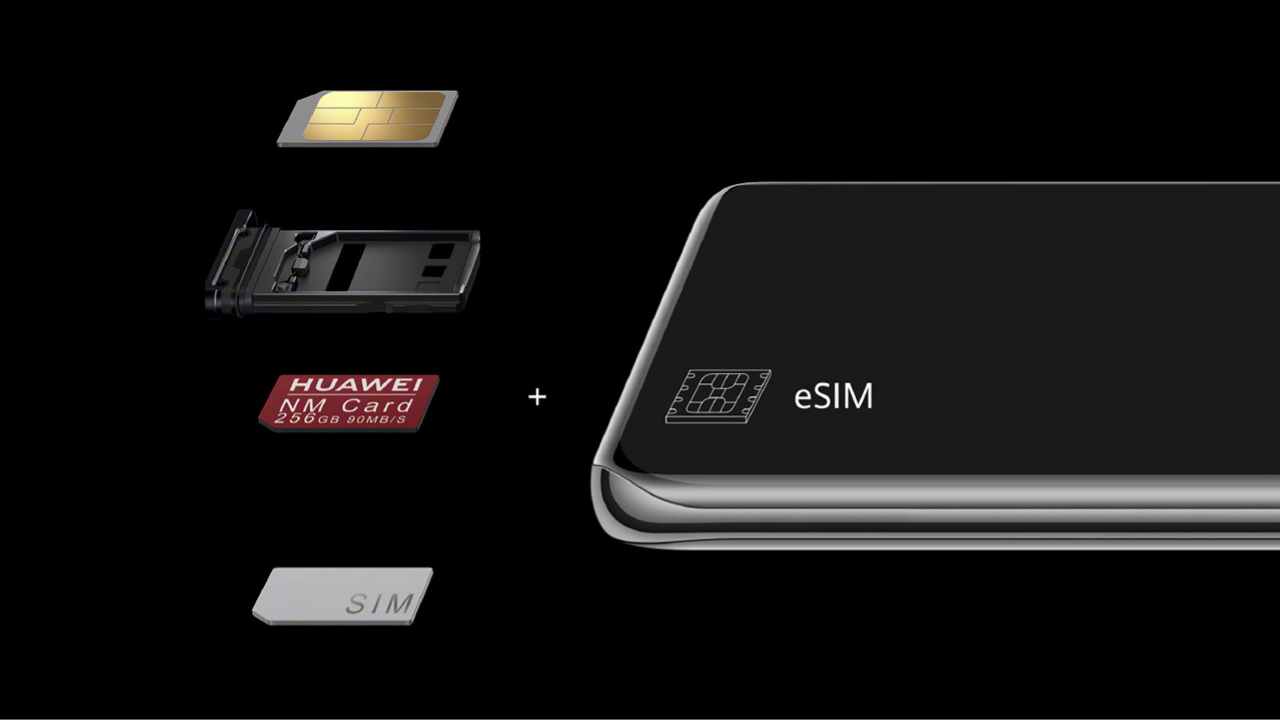
Smartphones technologies are now improving rapidly with new changes on hardware and software. Coming to the SIM (Subscriber Identity Module) part the great  evolution we have seen on the eSIM, or Embedded SIM, a digital SIM card that integrates into the device itself and can be used without the need for a physical SIM card.

Benefits of using eSIM:

READ ALSO

Huawei, IUCN, and Global partners highlight Nature Protection’s latest technology

Fix a Broken Charger Port on your Smartphone

  • eSIM cards are safer to use and better protected from misuse by advanced security measures
  • They are more reliable, cannot be lost or physically damaged and weaken the signal quality
  • eSIM frees up one space in the SIM card slot, which can be used for a physical SIM card or for a memory card in hybrid SIM slots
  • It is possible to have several eSIM profiles on one device, to use business and private numbers, different tariffs or services of other network carriers during the trip
  • In case of loss or theft of the phone, eSIM cannot be removed from the device as a physical SIM card, so the phone is easy to locate

The new eSIM technology is currently supported on some phone models, and may vary by region and network carrier. In order for the phone to support this feature, it needs to have a built-in smart chip for the eSIM card, measuring only 2.5 x 2.3 mm.

To check if your device has this chip, go to Settings> About Phone> Show EID, where you can see eSIM ID information if the feature is supported. HUAWEI smartphone models that currently support eSIM are the P40, P40 Pro (not including P40 Pro +) and Mate 40 Pro.

If you have one of the supported models and the mobile carrier offers this service, at your request they will provide you with a QR code with instructions for activation in printed or electronic form. You do not need to install any additional apps to activate eSIM, as this feature is part of the operating system, but you must have internet access via Wi-Fi:

1. Go to Settings> Mobile network> SIM management. Even if your device only supports one physical SIM card, SIM 1 and SIM 2 options are displayed. The eSIM card is installed in the SIM 2 slot by default.

2. Go to SIM 2 > Add eSIM to scan the QR code received from your network carrier.

Add eSIM in Huawei Phone

3. Place the QR code in the frame and scan it, or alternatively, you can select the QR code from the Gallery of your device or enter the obtained activation code manually.

4. Touch ADD THIS ESIM to start the eSIM card download.

5. After downloading, in the eSIM Settings you will see the name of the enabled eSIM of your network carrier.

Join_Huawei_Update_Telegram_Channel

Source – Huawei Community
Tags: eSIMeSIM Mate 40eSIM P40Huawei

Related Posts

Huawei, IUCN, and Global partners highlight Nature Protection's latest technology
Honor Products

Huawei, IUCN, and Global partners highlight Nature Protection’s latest technology

June 6, 2023
Charger Port
Tips And Tricks

Fix a Broken Charger Port on your Smartphone

December 6, 2022
How to restore WhatsApp chat history in Huawei Mate 30 Series
Tips And Tricks

How to restore WhatsApp chat history in Huawei Mate 30 Series

December 5, 2022
WhatsApp online status tips
Tips And Tricks

Hide online status on WhatsApp, follow this simple tweak

October 8, 2022
Download Call Recorder App
Tips And Tricks

Download Call Recorder App for EMUI [v11.0.0.109]

October 8, 2022
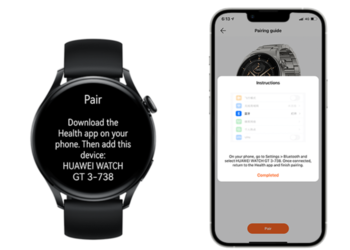
Pairing Fails when connecting Huawei Watch GT 3 to My iPhone
Tips And Tricks

Pairing Fails when connecting Huawei Watch GT 3 to My iPhone

June 25, 2022

About

HUpdate brings you the latest Huawei news, HarmonyOS & EMUI updates, firmware releases, and device coverage — all in one place. Stay updated with accurate, timely Huawei tech news.

Categories

  • Android
  • Ark OS
  • Deal
  • EMUI
  • EMUI 10
  • EMUI 10 Timeline
  • EMUI 10.1
  • EMUI 11
  • EMUI 12
  • EMUI 13
  • EMUI 14
  • EMUI 9.1
  • Game
  • Guides And How-To
  • Harmony OS 2
  • HarmonyOS 3
  • HarmonyOS 4
  • HarmonyOS 5
  • Hongmeng
  • Honor Products
  • Huawei 5G
  • Huawei Apps Apk
  • Huawei Mobile Services
  • Huawei News
  • Huawei Phones
  • Huawei Weekly Report
  • Magic UI 3
  • Magic UI 3.1
  • Magic UI 4.0
  • News
  • Tips And Tricks
  • Uncategorized
  • Updates

Recent Posts

  • Huawei Health App Update 2026: New AI Features
  • Huawei Mate 90 Hardware Upgrades & INSPIRE 2026 Cloud News
  • MTN Zambia and Huawei, have teamed up to fix a big problem
  • Huawei & Angola Partner for Smart Grid Transformation & Green Energy
  • About Us
  • Privacy Policy
  • Sitemap
  • Send A Tip

© 2026 HUpdate

No Result
View All Result
  • Home
  • HarmonyOS
    • HarmonyOS History
  • EMUI Updates
    • EMUI History
  • News
  • Send A Tip

© 2026 HUpdate

Go to mobile version