

HU
No Result
View All Result
  • Home
  • HarmonyOS
    • HarmonyOS History
  • EMUI Updates
    • EMUI History
  • News
    Huawei Mate 80 Pro

    Huawei Mate 90 Hardware Upgrades & INSPIRE 2026 Cloud News

    MTN Zambia and Huawei

    MTN Zambia and Huawei, have teamed up to fix a big problem

    Huawei & Angola Partner

    Huawei & Angola Partner for Smart Grid Transformation & Green Energy

    Huawei Mate 90 news

    Huawei Mate 90 Series Sales Date: Flagship Timeline Revealed Early

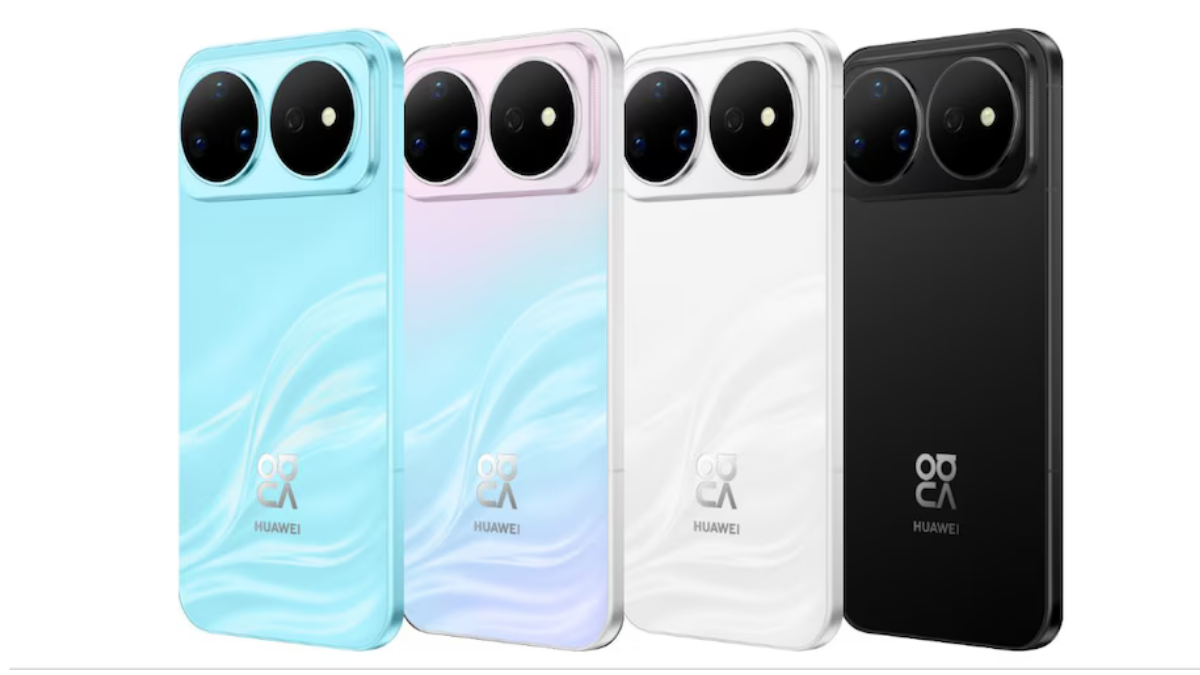
    Huawei Nova 16 Ultra

    Huawei Nova 16 Ultra launched with 200MP camera and 7000mAh battery

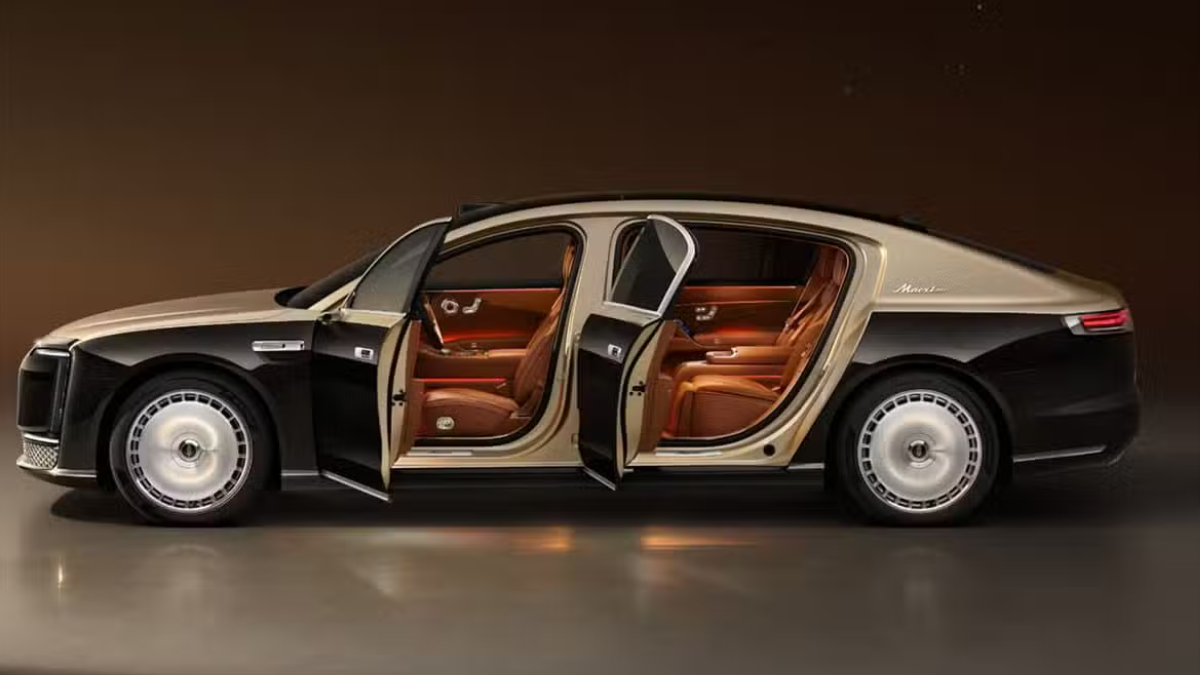
    Huawei Maextro S800 ultra

    Huawei Maextro S800 ultra luxury sedan outsells Mercedes Maybach in China

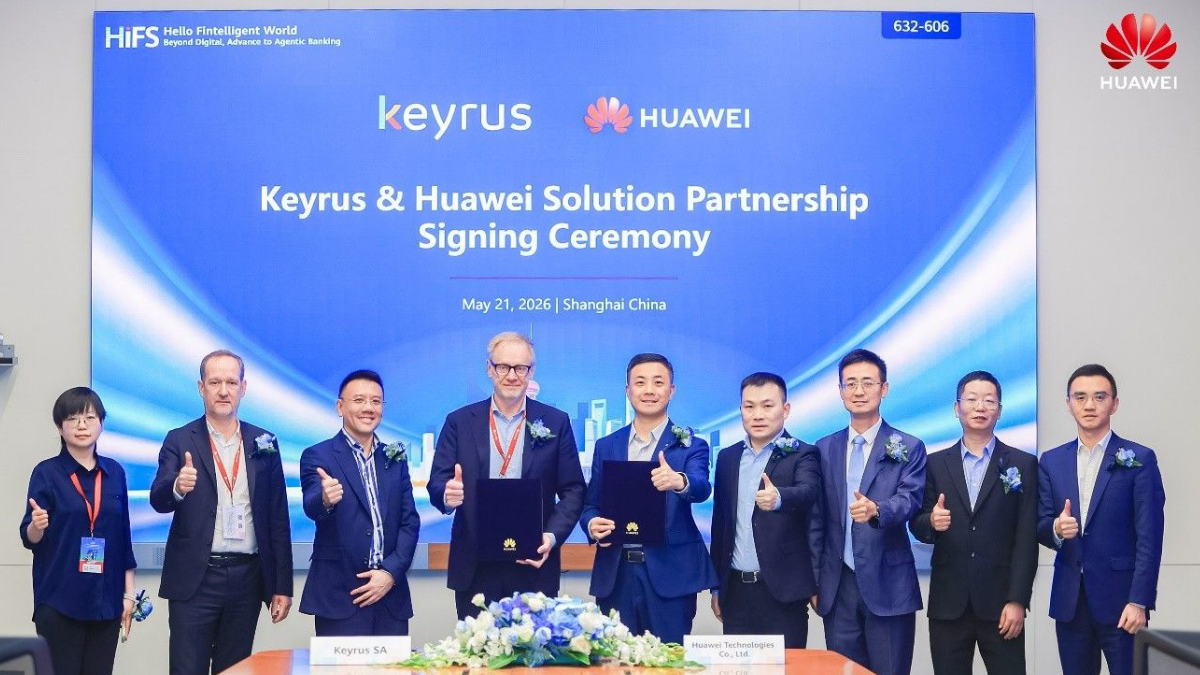
    Huawei Keyrus

    Huawei partners with Keyrus to scale data and AI tools in global markets

    Huawei Logo Image - Credit Unsplash

    Huawei Ascend chips reach major milestone in new DeepSeek AI update

    Huawei Gartner 2026 image

    Huawei Named Leader in 2026 Gartner Wired and Wireless LAN Infrastructure Magic Quadrant

    Trending Tags

    • Mate 50
    • P40
  • Send A Tip
  • Home
  • HarmonyOS
    • HarmonyOS History
  • EMUI Updates
    • EMUI History
  • News
    Huawei Mate 80 Pro

    Huawei Mate 90 Hardware Upgrades & INSPIRE 2026 Cloud News

    MTN Zambia and Huawei

    MTN Zambia and Huawei, have teamed up to fix a big problem

    Huawei & Angola Partner

    Huawei & Angola Partner for Smart Grid Transformation & Green Energy

    Huawei Mate 90 news

    Huawei Mate 90 Series Sales Date: Flagship Timeline Revealed Early

    Huawei Nova 16 Ultra

    Huawei Nova 16 Ultra launched with 200MP camera and 7000mAh battery

    Huawei Maextro S800 ultra

    Huawei Maextro S800 ultra luxury sedan outsells Mercedes Maybach in China

    Huawei Keyrus

    Huawei partners with Keyrus to scale data and AI tools in global markets

    Huawei Logo Image - Credit Unsplash

    Huawei Ascend chips reach major milestone in new DeepSeek AI update

    Huawei Gartner 2026 image

    Huawei Named Leader in 2026 Gartner Wired and Wireless LAN Infrastructure Magic Quadrant

    Trending Tags

    • Mate 50
    • P40
  • Send A Tip
No Result
View All Result
HUpdate
No Result
View All Result
Home EMUI 10.1

EMUI 10.1 and Magic UI 3.1 Gesture Navigation are smoother than ever

Min by Min
April 16, 2020
in EMUI 10.1, Tips And Tricks
0
EMUI 10.1 and Magic UI 3.1 Smart Switching Gestures

EMUI 10.1 and Magic UI 3.1 Smart Switching Gestures

153
SHARES
1.9k
VIEWS
Share on FacebookShare on Twitter

Huawei EMUI 10.1 & Magic UI 3.1 brings a bunch of new features with the latest Skin. The Huawei EMUI 10.1 included MeeTime specifically for screen sharing, Multi-screen collaboration, Cross-Device Photo Gallery – Single Search on Multiple Devices. EMUI 10.1 has its own Voice Assistant Celia to operate various operations, Multi-Window, Golden Snap to remove character/image beside your picture and enhanced security.

EMUI 10.1 and  Magic UI 3.1 added smooth functionality to switch applications within a second. You don’t need to return on Home its simple, faster and reliable.

READ ALSO

Huawei, IUCN, and Global partners highlight Nature Protection’s latest technology

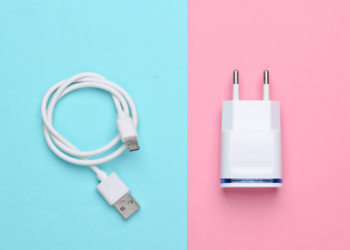
Fix a Broken Charger Port on your Smartphone

While using the smartphone you often come across the situation of switching back several applications. For example, while reading any web page, using social apps and or any apps/tabs differently. This requires repeated switching between adjacent applications.

In this case Huawei EMUI 10.1 improved Gesture Navigation with more settings. To use gesture control open the Settings, go to System and tap System navigation. Then select Gestures and here you can on “Bottom edge slide switch application” features, by default it is on but in some cases, if it is not available you can turn it on manually.
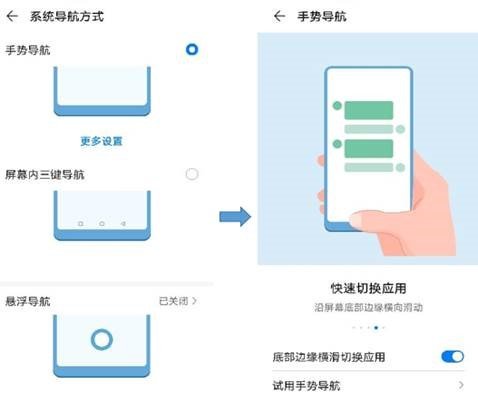
EMUI 10.1 Gestures

EMUI10.1 & Magic UI 3.1 also brings you Quickly switch operations, to do so you need to just swipe at the bottom of the screen for switching applications. It is helpful in saving your time. You can select two settings as per your preference one is Sliding and the other is Horizontal sliding.
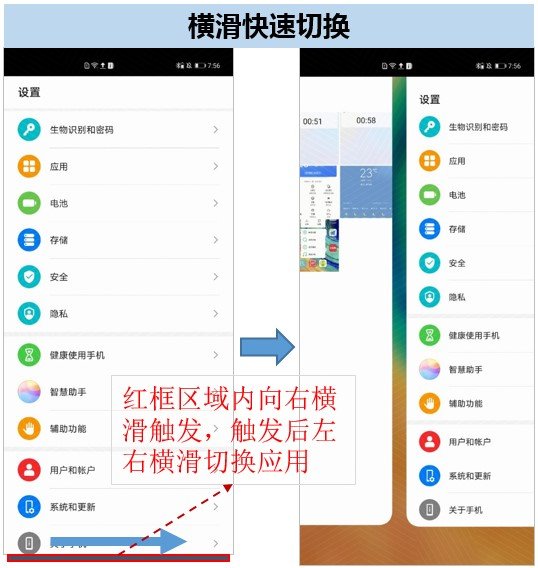
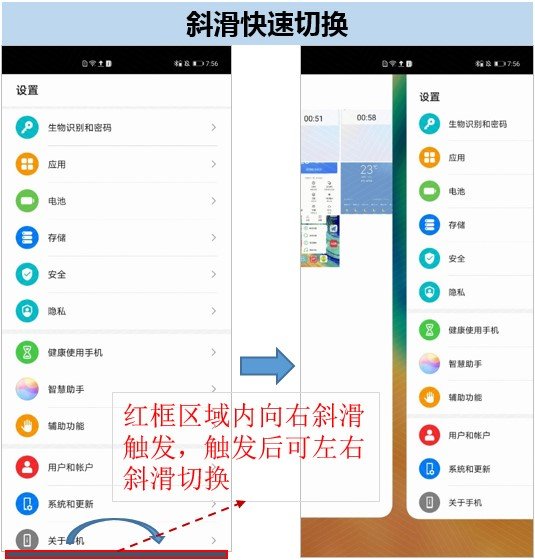
EMUI 10.1 and Magic UI 3.1 Bottom Switching Gesture - Horizontal Sliding EMUI 10.1 and Magic UI 3.1 Bottom Switching Gesture

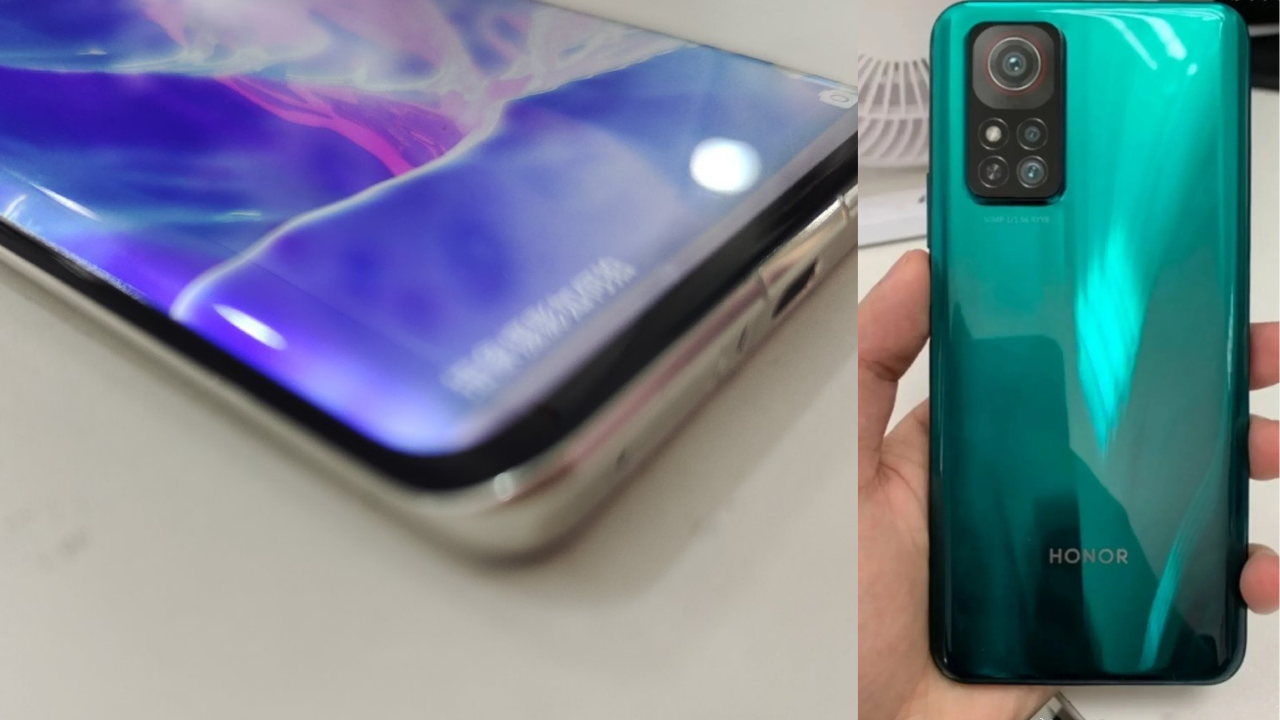
Honor 30 series has been launched recently with Kirin 990, 985 5G SoC and also with Magic UI 3.1 system. The smart switching gestures let you manage different applications in single window. Take a look

EMUI 10.1 and Magic UI 3.1 Smart Switching Gestures

Related:

  • Huawei EMUI 10.1 and Magic UI 3.1 Beta Progress Announcement
  • EMUI 10.1: Latest News, Rollout Date, Features, and Eligible Devices
  • EMUI 10.1: Wireless Sound Transmission
  • EMUI 10.1 Golden Snap: An Intelligent photo-editing capabilities
  • EMUI 10.1: Mobile Office Multi-screen Collaboration
  • EMUI 10.1: MeeTime High-Quality Communication

Tags: EMUI 10EMUI 10.1EMUI 10.1 and Magic UI 3.1 Gesture NavigationsEMUI 10.1 featuresEMUI 10.1 Gesture NavigationEMUI 10.1 Gesture NavigationsHuaweiHuawei EMUI 10.1Magic UI 3.1 featuresMagic UI 3.1 GestureMagic UI 3.1 Gesture Navigation

Related Posts

Huawei, IUCN, and Global partners highlight Nature Protection's latest technology
Honor Products

Huawei, IUCN, and Global partners highlight Nature Protection’s latest technology

June 6, 2023
Charger Port
Tips And Tricks

Fix a Broken Charger Port on your Smartphone

December 6, 2022
How to restore WhatsApp chat history in Huawei Mate 30 Series
Tips And Tricks

How to restore WhatsApp chat history in Huawei Mate 30 Series

December 5, 2022
WhatsApp online status tips
Tips And Tricks

Hide online status on WhatsApp, follow this simple tweak

October 8, 2022
Download Call Recorder App
Tips And Tricks

Download Call Recorder App for EMUI [v11.0.0.109]

October 8, 2022
P Smart 2021 August 2022 Patch Update
EMUI 10.1

Huawei P Smart 2021 August 2022 security update goes live

September 22, 2022

POPULAR NEWS

Huawei Health App Update

Huawei Health App Update 2026: New AI Features

July 15, 2026
Stable EMUI 12 2023

Updated EMUI 12 plan for Global users [January 2023]

January 19, 2023
Huawei EMUI 13 Eligible Devices

Huawei EMUI 13 Eligible devices for global market

March 22, 2023
Download and Install EMUI 10

Download and Install EMUI 10 on any Huawei phone

February 11, 2020
Huawei Music

Huawei Music Latest 2026 Update

May 28, 2026

EDITOR'S PICK

Logo Huawei (2)

Huawei has won the National Science and Technology Award for 14 consecutive years

November 3, 2021
Huawei Watch Fit

Huawei Watch Fit launched with 2.5D curved glass, SpO2 tracker, 96 workout modes and more

September 1, 2020
WhatsApp My contact except

Having profile picture issue? WhatsApp is getting ready for this big change

September 30, 2021
Huawei Logo Official

Gartner: Huawei enters in the top five global IaaS public cloud market for the first time

June 30, 2021

About

HUpdate brings you the latest Huawei news, HarmonyOS & EMUI updates, firmware releases, and device coverage — all in one place. Stay updated with accurate, timely Huawei tech news.

Categories

  • Android
  • Ark OS
  • Deal
  • EMUI
  • EMUI 10
  • EMUI 10 Timeline
  • EMUI 10.1
  • EMUI 11
  • EMUI 12
  • EMUI 13
  • EMUI 14
  • EMUI 9.1
  • Game
  • Guides And How-To
  • Harmony OS 2
  • HarmonyOS 3
  • HarmonyOS 4
  • HarmonyOS 5
  • Hongmeng
  • Honor Products
  • Huawei 5G
  • Huawei Apps Apk
  • Huawei Mobile Services
  • Huawei News
  • Huawei Phones
  • Huawei Weekly Report
  • Magic UI 3
  • Magic UI 3.1
  • Magic UI 4.0
  • News
  • Tips And Tricks
  • Uncategorized
  • Updates

Recent Posts

  • Huawei Health App Update 2026: New AI Features
  • Huawei Mate 90 Hardware Upgrades & INSPIRE 2026 Cloud News
  • MTN Zambia and Huawei, have teamed up to fix a big problem
  • Huawei & Angola Partner for Smart Grid Transformation & Green Energy
  • About Us
  • Privacy Policy
  • Sitemap
  • Send A Tip

© 2026 HUpdate

No Result
View All Result
  • Home
  • HarmonyOS
    • HarmonyOS History
  • EMUI Updates
    • EMUI History
  • News
  • Send A Tip

© 2026 HUpdate

Go to mobile version