


HU
No Result
View All Result
  • Home
  • HarmonyOS
    • HarmonyOS History
  • EMUI Updates
    • EMUI History
  • News
    Huawei Mate 80 Pro

    Huawei Mate 90 Hardware Upgrades & INSPIRE 2026 Cloud News

    MTN Zambia and Huawei

    MTN Zambia and Huawei, have teamed up to fix a big problem

    Huawei & Angola Partner

    Huawei & Angola Partner for Smart Grid Transformation & Green Energy

    Huawei Mate 90 news

    Huawei Mate 90 Series Sales Date: Flagship Timeline Revealed Early

    Huawei Nova 16 Ultra

    Huawei Nova 16 Ultra launched with 200MP camera and 7000mAh battery

    Huawei Maextro S800 ultra

    Huawei Maextro S800 ultra luxury sedan outsells Mercedes Maybach in China

    Huawei Keyrus

    Huawei partners with Keyrus to scale data and AI tools in global markets

    Huawei Logo Image - Credit Unsplash

    Huawei Ascend chips reach major milestone in new DeepSeek AI update

    Huawei Gartner 2026 image

    Huawei Named Leader in 2026 Gartner Wired and Wireless LAN Infrastructure Magic Quadrant

    Trending Tags

    • Mate 50
    • P40
  • Send A Tip
  • Home
  • HarmonyOS
    • HarmonyOS History
  • EMUI Updates
    • EMUI History
  • News
    Huawei Mate 80 Pro

    Huawei Mate 90 Hardware Upgrades & INSPIRE 2026 Cloud News

    MTN Zambia and Huawei

    MTN Zambia and Huawei, have teamed up to fix a big problem

    Huawei & Angola Partner

    Huawei & Angola Partner for Smart Grid Transformation & Green Energy

    Huawei Mate 90 news

    Huawei Mate 90 Series Sales Date: Flagship Timeline Revealed Early

    Huawei Nova 16 Ultra

    Huawei Nova 16 Ultra launched with 200MP camera and 7000mAh battery

    Huawei Maextro S800 ultra

    Huawei Maextro S800 ultra luxury sedan outsells Mercedes Maybach in China

    Huawei Keyrus

    Huawei partners with Keyrus to scale data and AI tools in global markets

    Huawei Logo Image - Credit Unsplash

    Huawei Ascend chips reach major milestone in new DeepSeek AI update

    Huawei Gartner 2026 image

    Huawei Named Leader in 2026 Gartner Wired and Wireless LAN Infrastructure Magic Quadrant

    Trending Tags

    • Mate 50
    • P40
  • Send A Tip
No Result
View All Result
HUpdate
No Result
View All Result
Home Huawei News

Huawei launched Celia Keyboard App [Download App]

Min by Min
June 7, 2021
in Huawei News, News
0
Celia Keyboard App Huawei

Celia Keyboard App Huawei

259
SHARES
3.2k
VIEWS
Share on FacebookShare on Twitter

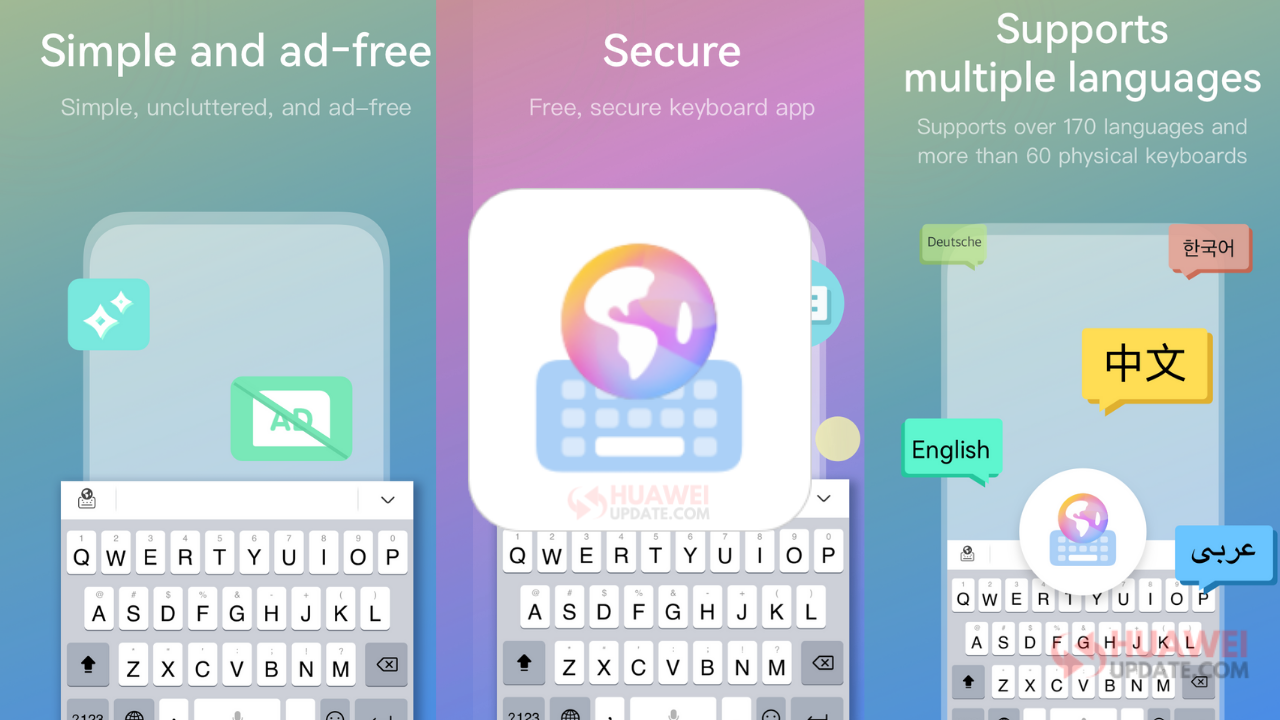
Huawei has officially launched Celia Keyboard. Celia Keyboard is a free keyboard application developed by Huawei to improve the ease, accuracy, and enjoyment of your typing. It supports more than 170 languages and provides thousands of emojis, cool fonts, smiley faces and four simple keyboard themes. With Celia Keyboard, you can not only type faster, but spice up your messages with cool emojis.

The product consists of two parts, the keyboard and the main application. The keyboard is the main interface, with which the users can input text and emojis etc., and also access shortcut functions such as the clipboard.

READ ALSO

Huawei Mate 90 Hardware Upgrades & INSPIRE 2026 Cloud News

MTN Zambia and Huawei, have teamed up to fix a big problem

In the main application, users can use resources including themes, emoji packages, fonts, sounds, etc., activate other languages, download dictionary packages, and personalize the keyboard.
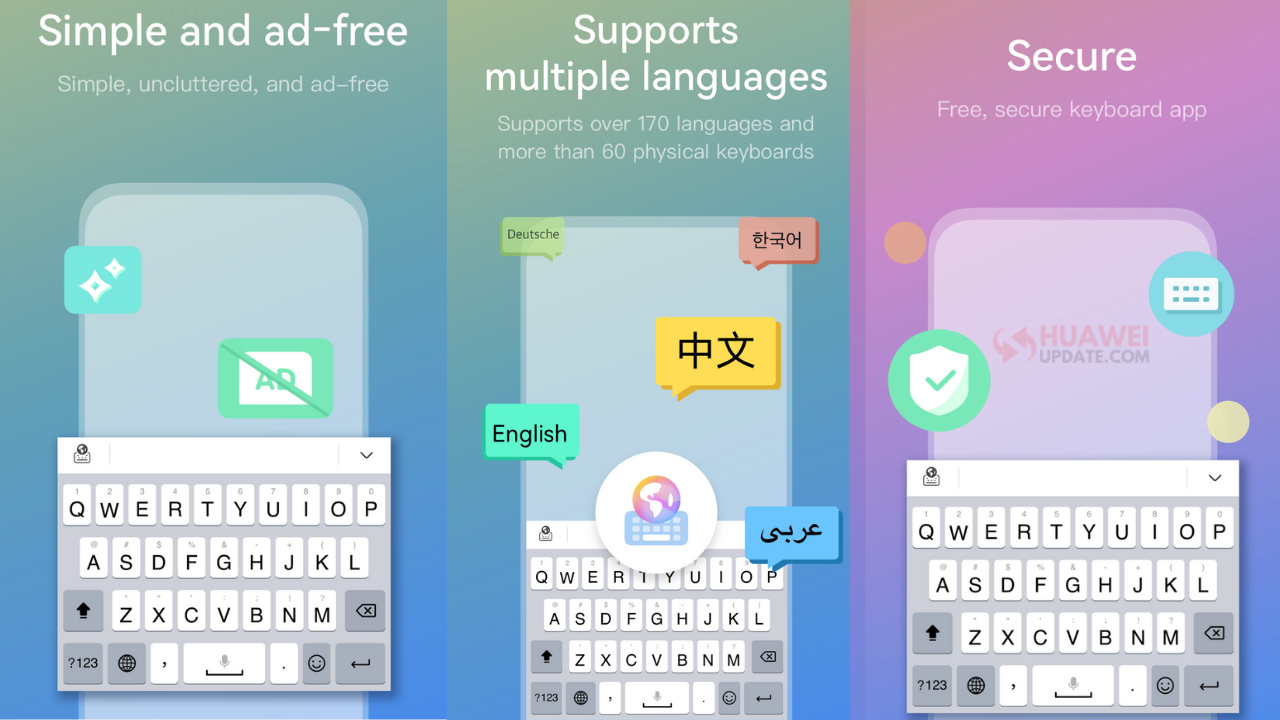
Celia Keyboard App

Main Function

1. Text Input
1.1. Key Input
Celia Keyboard supports Qwerty,Qwertz,Azerty,Colemak,and Dvorak layouts.
1.2. Glide Input (Gesture Typing)
For some languages, Celia Keyboard allows you to type by gliding, without lifting your finger from the screen. This can greatly improve the efficiency of input.
1.3. Voice Input
Celia Keyboard supports voice input (it uses Huawei ASR), and improves user input efficiency and convenience by converting voice to text.
1.4. Input Prediction
Celia Keyboard provides input prediction. Complete words are suggested based on the letters the user has typed so far. For example, when the user enters “h” and “a” on the English keyboard, Celia will suggest words such as “have” and “happy”, and the user can enter the complete word by tapping it.
1.5. Auto-correction
Celia Keyboard is the intelligent keyboard that corrects spelling mistakes made by the user when typing. For example, when the user enters “happu” on the English keyboard, “happy” will be recommended as the correct spelling, and the user can click on the word or the Space key to display the correct word.
1.6. Next-word Suggestion
Celia Keyboard will intelligently suggest the next word a user may want to input, based on the context information entered by the user. For example, after the user enters the word “happy”, Celia Keyboard may suggest words such as “birthday” to the user in the prediction bar.
1.7. Clipboard
Celia Keyboard provides the clipboard function, allowing users to manage and use their own clipboard more conveniently.
1.8. Cursor Operation
Celia Keyboard supports cursor operation, allowing users to easily select, copy, cut and delete text.

2. Rich Media Input
2.1. Emoji Input
Celia Keyboard provides more than 1,000 different emoji expressions, allowing users to express themselves more vividly in a chat.
2.2. Emoticon Input
Celia Keyboard provides a wealth of emoticons to meet the needs of users for personalized expression in a chat.

3. Personalization
3.1. Theme
Celia Keyboard comes with four simple themes for users to choose from.
3.2. Font
Celia Keyboard provides a range of beautiful fonts for free, and users can select the fonts on the keyboard.
3.3. Sound
Celia Keyboard supports a range of keypress sounds for free, and users can change the key tone of the keyboard.

4. Settings
4.1. Language
Celia Keyboard supports more than 170 languages.
4.2. Resize Keyboard
In order to accommodate the diverse habits of different users, Celia Keyboard allows users to adjust the size of keyboard, so they can type in whatever way they find most comfortable.
4.3. Sound
The settings menu includes a volume slider for keypress sounds.
4.4. Vibration
Users can enable and disable keypress vibration and adjust the duration of vibration.
4.5. Popup on keypress
The settings menu includes a switch that allows users to enable and disable popup on keypress.
4.6. Input Related
Users can adjust input related functions, such as auto-correction and auto-capitalization, in accordance with their own preferences.
4.7. Number Row
The settings menu includes a switch that allows users to choose whether to display a separate number row on the top of the keyboard layout.
4.8. Keyboard Mode
Because different users have different preferences, Celia Keyboard offers a variety of keyboard modes, and users can choose whichever one they find most comfortable.
4.9. Keyboard Layout
In order to accommodate the diverse habits of different users, Celia Keyboard allows users to choose different keyboards by language, so they can type in whatever way they find most comfortable.
4.10. Mechanical Keyboard
Celia Keyboard provides users with a mechanical keyboard mode and different mechanical stem options, giving users a different input experience.

You can download and try Celia Keyboard by clicking HERE.

Join_Huawei_Update_Telegram_Channel

Tags: Celia KeyboardCelia Keyboard AppHuaweiHuawei Celia KeyboardHuawei Celia Keyboard App

Related Posts

Huawei Mate 80 Pro
Huawei News

Huawei Mate 90 Hardware Upgrades & INSPIRE 2026 Cloud News

June 5, 2026
MTN Zambia and Huawei
Huawei News

MTN Zambia and Huawei, have teamed up to fix a big problem

June 3, 2026
Huawei & Angola Partner
Huawei News

Huawei & Angola Partner for Smart Grid Transformation & Green Energy

June 2, 2026
Huawei Mate 90 news
Huawei News

Huawei Mate 90 Series Sales Date: Flagship Timeline Revealed Early

June 2, 2026
Huawei Nova 16 Ultra
Huawei News

Huawei Nova 16 Ultra launched with 200MP camera and 7000mAh battery

June 1, 2026
Huawei Maextro S800 ultra
Huawei News

Huawei Maextro S800 ultra luxury sedan outsells Mercedes Maybach in China

May 28, 2026

POPULAR NEWS

Huawei Health App Update

Huawei Health App Update 2026: New AI Features

July 15, 2026
Stable EMUI 12 2023

Updated EMUI 12 plan for Global users [January 2023]

January 19, 2023
Huawei EMUI 13 Eligible Devices

Huawei EMUI 13 Eligible devices for global market

March 22, 2023
Download and Install EMUI 10

Download and Install EMUI 10 on any Huawei phone

February 11, 2020
Huawei Music

Huawei Music Latest 2026 Update

May 28, 2026

EDITOR'S PICK

Huawei Logo

Huawei and Shanxi Mobile measured a maximum total uplink throughput rate of 2.2Gbps

August 7, 2021
Huawei Enjoy 20 Plus 5G

Huawei Enjoy 20 Plus 5G latest (EMUI 10.1.1.131) update brings Camera optimization

September 29, 2020
These Honor phones received EMUI 10 update in India

These Honor phones received EMUI 10 update in India

June 3, 2020
Mate 40 series

Huawei Mate 40 series may launch with 8GB and 12GB RAM variants, 6GB not in the choice

August 9, 2020

About

HUpdate brings you the latest Huawei news, HarmonyOS & EMUI updates, firmware releases, and device coverage — all in one place. Stay updated with accurate, timely Huawei tech news.

Categories

  • Android
  • Ark OS
  • Deal
  • EMUI
  • EMUI 10
  • EMUI 10 Timeline
  • EMUI 10.1
  • EMUI 11
  • EMUI 12
  • EMUI 13
  • EMUI 14
  • EMUI 9.1
  • Game
  • Guides And How-To
  • Harmony OS 2
  • HarmonyOS 3
  • HarmonyOS 4
  • HarmonyOS 5
  • Hongmeng
  • Honor Products
  • Huawei 5G
  • Huawei Apps Apk
  • Huawei Mobile Services
  • Huawei News
  • Huawei Phones
  • Huawei Weekly Report
  • Magic UI 3
  • Magic UI 3.1
  • Magic UI 4.0
  • News
  • Tips And Tricks
  • Uncategorized
  • Updates

Recent Posts

  • Huawei Health App Update 2026: New AI Features
  • Huawei Mate 90 Hardware Upgrades & INSPIRE 2026 Cloud News
  • MTN Zambia and Huawei, have teamed up to fix a big problem
  • Huawei & Angola Partner for Smart Grid Transformation & Green Energy
  • About Us
  • Privacy Policy
  • Sitemap
  • Send A Tip

© 2026 HUpdate

No Result
View All Result
  • Home
  • HarmonyOS
    • HarmonyOS History
  • EMUI Updates
    • EMUI History
  • News
  • Send A Tip

© 2026 HUpdate

Go to mobile version