

Connect with us

Huawei News

Huawei launched Celia Keyboard App [Download App]

picture-1

Published

on

Celia Keyboard App Huawei

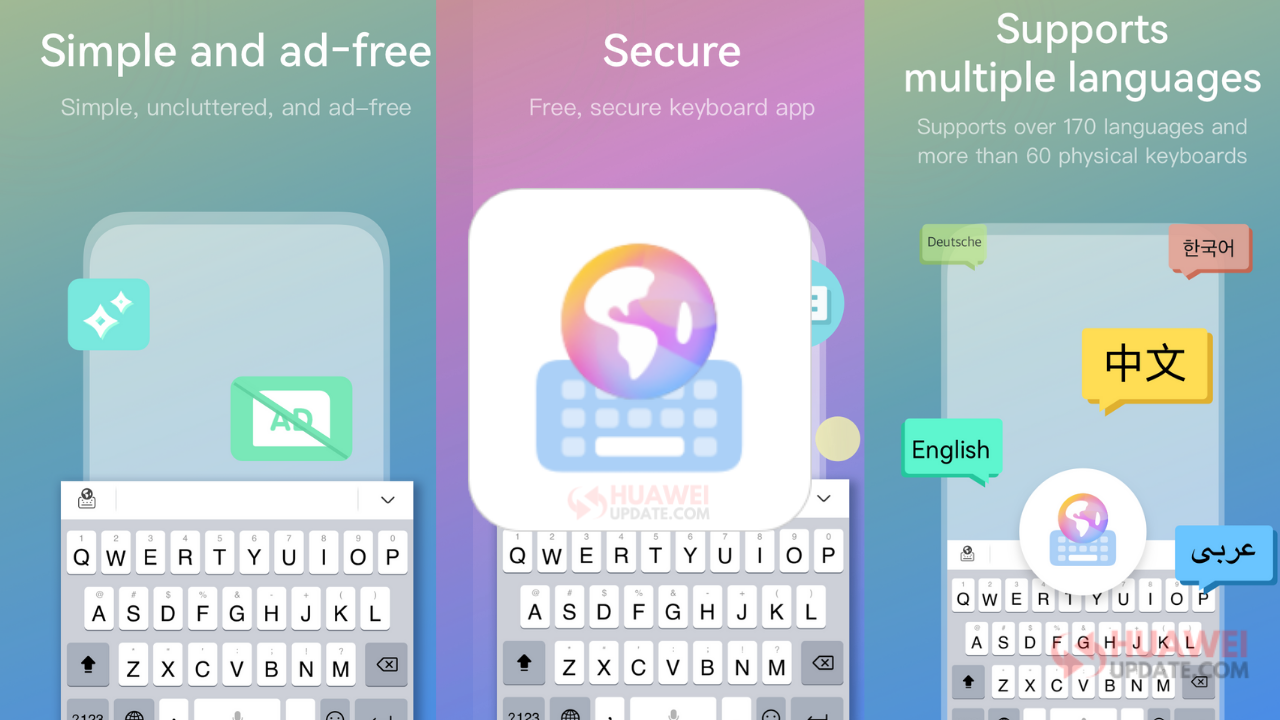
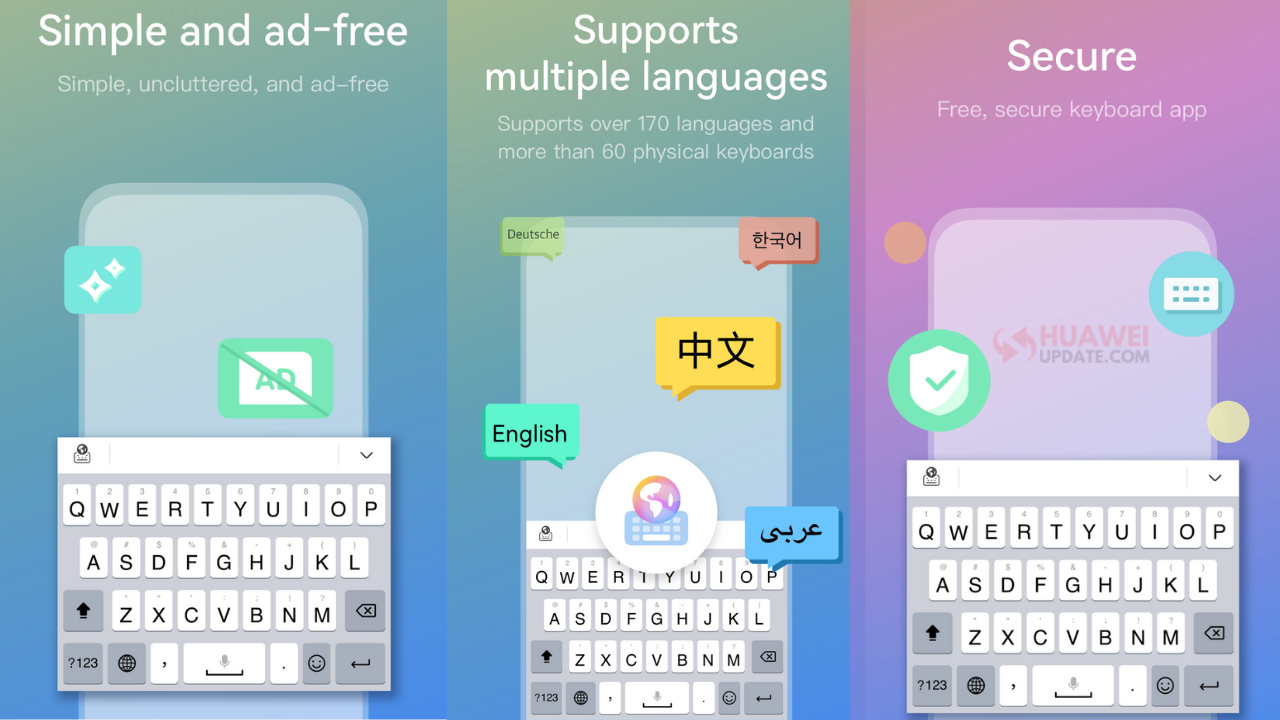
Huawei has officially launched Celia Keyboard. Celia Keyboard is a free keyboard application developed by Huawei to improve the ease, accuracy, and enjoyment of your typing. It supports more than 170 languages and provides thousands of emojis, cool fonts, smiley faces and four simple keyboard themes. With Celia Keyboard, you can not only type faster, but spice up your messages with cool emojis.

The product consists of two parts, the keyboard and the main application. The keyboard is the main interface, with which the users can input text and emojis etc., and also access shortcut functions such as the clipboard.

Advertisement

In the main application, users can use resources including themes, emoji packages, fonts, sounds, etc., activate other languages, download dictionary packages, and personalize the keyboard.
Celia Keyboard App

Main Function

Advertisement

1. Text Input
1.1. Key Input
Celia Keyboard supports Qwerty,Qwertz,Azerty,Colemak,and Dvorak layouts.
1.2. Glide Input (Gesture Typing)
For some languages, Celia Keyboard allows you to type by gliding, without lifting your finger from the screen. This can greatly improve the efficiency of input.
1.3. Voice Input
Celia Keyboard supports voice input (it uses Huawei ASR), and improves user input efficiency and convenience by converting voice to text.
1.4. Input Prediction
Celia Keyboard provides input prediction. Complete words are suggested based on the letters the user has typed so far. For example, when the user enters “h” and “a” on the English keyboard, Celia will suggest words such as “have” and “happy”, and the user can enter the complete word by tapping it.
1.5. Auto-correction
Celia Keyboard is the intelligent keyboard that corrects spelling mistakes made by the user when typing. For example, when the user enters “happu” on the English keyboard, “happy” will be recommended as the correct spelling, and the user can click on the word or the Space key to display the correct word.
1.6. Next-word Suggestion
Celia Keyboard will intelligently suggest the next word a user may want to input, based on the context information entered by the user. For example, after the user enters the word “happy”, Celia Keyboard may suggest words such as “birthday” to the user in the prediction bar.
1.7. Clipboard
Celia Keyboard provides the clipboard function, allowing users to manage and use their own clipboard more conveniently.
1.8. Cursor Operation
Celia Keyboard supports cursor operation, allowing users to easily select, copy, cut and delete text.

2. Rich Media Input
2.1. Emoji Input
Celia Keyboard provides more than 1,000 different emoji expressions, allowing users to express themselves more vividly in a chat.
2.2. Emoticon Input
Celia Keyboard provides a wealth of emoticons to meet the needs of users for personalized expression in a chat.

Advertisement

3. Personalization
3.1. Theme
Celia Keyboard comes with four simple themes for users to choose from.
3.2. Font
Celia Keyboard provides a range of beautiful fonts for free, and users can select the fonts on the keyboard.
3.3. Sound
Celia Keyboard supports a range of keypress sounds for free, and users can change the key tone of the keyboard.

4. Settings
4.1. Language
Celia Keyboard supports more than 170 languages.
4.2. Resize Keyboard
In order to accommodate the diverse habits of different users, Celia Keyboard allows users to adjust the size of keyboard, so they can type in whatever way they find most comfortable.
4.3. Sound
The settings menu includes a volume slider for keypress sounds.
4.4. Vibration
Users can enable and disable keypress vibration and adjust the duration of vibration.
4.5. Popup on keypress
The settings menu includes a switch that allows users to enable and disable popup on keypress.
4.6. Input Related
Users can adjust input related functions, such as auto-correction and auto-capitalization, in accordance with their own preferences.
4.7. Number Row
The settings menu includes a switch that allows users to choose whether to display a separate number row on the top of the keyboard layout.
4.8. Keyboard Mode
Because different users have different preferences, Celia Keyboard offers a variety of keyboard modes, and users can choose whichever one they find most comfortable.
4.9. Keyboard Layout
In order to accommodate the diverse habits of different users, Celia Keyboard allows users to choose different keyboards by language, so they can type in whatever way they find most comfortable.
4.10. Mechanical Keyboard
Celia Keyboard provides users with a mechanical keyboard mode and different mechanical stem options, giving users a different input experience.

Advertisement

You can download and try Celia Keyboard by clicking HERE.

Join_Huawei_Update_Telegram_Channel

Advertisement

Huawei News

Huawei Mate 90 Hardware Upgrades & INSPIRE 2026 Cloud News

picture-1

Published

on

By

Huawei Mate 80 Pro

We often get caught up in the numbers game when talking about new smartphones. We look at clock speeds, gigabytes, and chip sizes. But if you think about it, what makes you actually love using your phone every day? It is usually the little things—the way it vibrates when you type, the fullness of the sound when you watch a video, and how fast the cloud services behind your apps respond.

Huawei is tackling both sides of this coin. Brand new leaks and event announcements show that the company is working on a dual strategy. On one hand, the upcoming Mate 90 series is focusing heavily on the physical, everyday features we often overlook. On the other hand, the corporate side just laid out a massive plan for autonomous AI and cloud security at their INSPIRE 2026 event in Shanghai. Let’s break down what all of this means for you.

Advertisement

The Mate 90 Look: Focusing on the Features We Actually Touch

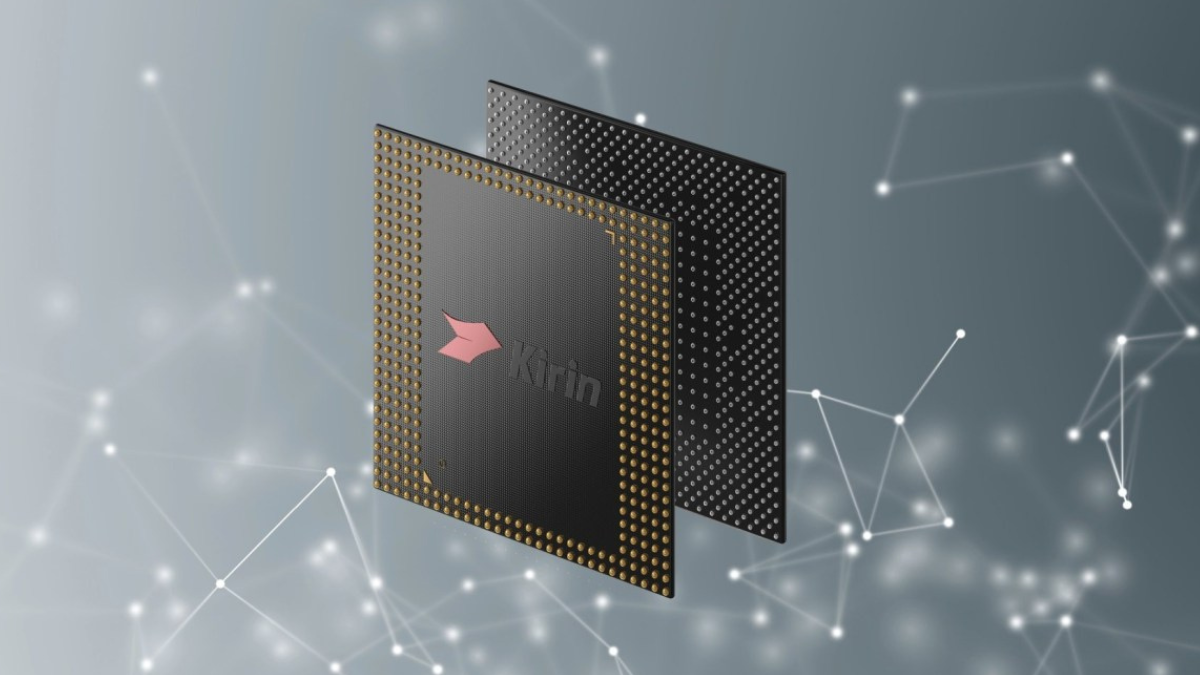
The upcoming Huawei Mate 90 series is already generating a ton of buzz because it is shifting its launch window to September. It is also bringing a brand new Kirin chip built with an advanced vertical layout to challenge global 3nm standards. But the latest supply chain whispers tell us that Huawei is spending just as much energy on the parts of the phone you physically interact with every single second.

Better Haptics: The New X-Axis Motor

Have you ever typed on a phone that felt hollow or mushy? It completely ruins the experience. Huawei wants to fix that by adding a brand-new, ultra-responsive X-axis linear haptic motor to the Mate 90 lineup. Instead of a generic buzz, this motor can produce crisp, tiny vibrations that mimic real physical buttons. Whether you are typing a quick text, scrolling through a menu, or playing a mobile game, the phone will give you clean, realistic feedback that makes the software feel alive.

Advertisement

Upgraded Sound: Immersive Stereo Speakers

Another big upgrade is coming to the audio setup. Most of us watch videos, take video calls, or stream music directly from our phone speakers without plugging in headphones. The Mate 90 series is rumored to feature a redesigned stereo speaker chamber system. By reworking the physical space inside the phone, Huawei is aiming for much deeper bass and clear, separated audio. It means you won’t have to cup your hand around the bottom of your phone just to hear a podcast while cooking dinner.

Huawei Cloud INSPIRE 2026: Moving Into Agentic Infrastructure

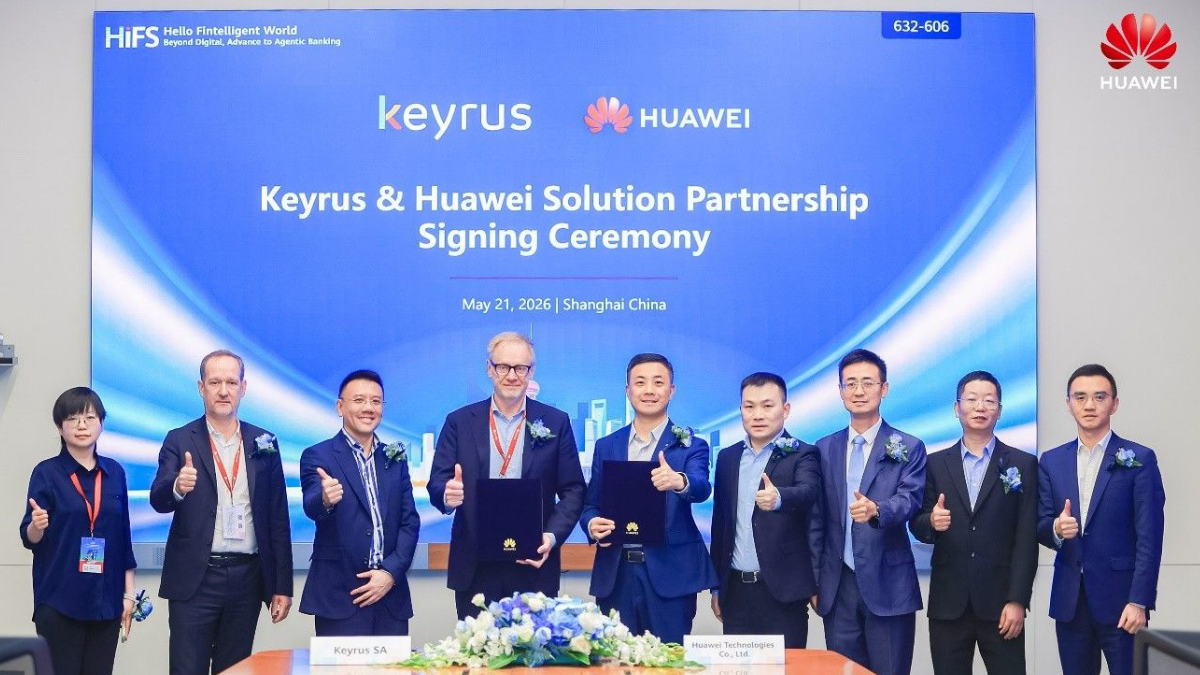
While the consumer team is polishing the physical hardware, the enterprise division is entirely focused on the future of artificial intelligence. Live from the West Bund International Convention Center in Shanghai, the Huawei Cloud INSPIRE 2026 summit just wrapped up. The big takeaway? Cloud computing is shifting from basic storage to what they call “Agentic Infrastructure.”

Advertisement

What is Agentic Infrastructure?

Think of normal AI as a tool that only answers when you ask it a direct question. An AI Agent, however, is different. It can think ahead, plan multi-step tasks, and make independent choices to help run a business or manage data.

Huawei’s new Agentic Infrastructure is a cloud setup built from the ground up to support thousands of these autonomous digital workers. It combines massive processing power with smart software, ensuring these AI systems can run continuously without lagging or crashing the servers.

Advertisement

Five Big Upgrades for AI Security and Keeping Things Legal

As AI grows more independent, security becomes a massive headache. If an AI agent is making decisions for a business, how do you keep its data safe? And how do you make sure it follows local privacy laws?

To answer this, Huawei Cloud announced five major security upgrades to its global portfolio. These upgrades act like a digital security guard, protecting sensitive data, keeping a strict eye on how AI models behave, and making sure everything complies with the changing regulatory rules in over 70 countries. It is all about turning AI from a wild, experimental tool into a safe, reliable coworker.

Advertisement

Connecting Your Phone to the Cloud

Why should the average user care about corporate cloud summits in Shanghai? Because the two worlds are rapidly merging. The advanced haptics, better speakers, and next-gen Kirin chips on the Mate 90 are just the gatekeepers. The real magic happens when those devices connect to a highly secure, intelligent cloud network.

When your phone can talk to a secure cloud infrastructure instantly, your voice assistants become smarter, your photo organization happens in a flash, and your data stays completely locked down away from prying eyes.

Advertisement

Conclusion: A Smarter, More Complete Tech Setup

Huawei is proving that a true flagship experience requires looking at the whole picture. By upgrading the overlooked physical hardware on the Mate 90 and building a secure foundation for autonomous AI in the cloud, they are preparing for the next big era of tech. Keep your eyes on September—it is going to be a very interesting fall season for tech fans!

Advertisement
Continue Reading

Huawei News

MTN Zambia and Huawei, have teamed up to fix a big problem

picture-1

Published

on

By

MTN Zambia and Huawei

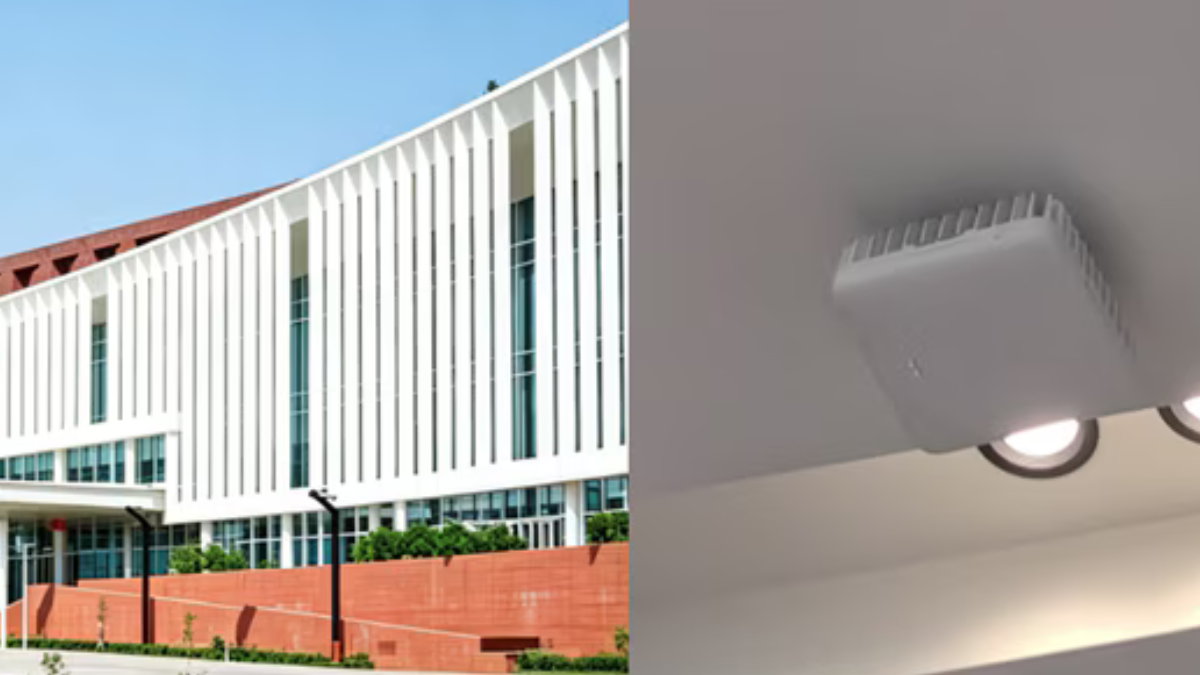
Two tech companies, MTN Zambia and Huawei, have teamed up to fix a big problem: slow internet inside busy buildings. They just installed a brand-new system at the Mulungushi International Conference Center in Zambia, and it is the first time this specific technology has been used anywhere in the world.

Why was this needed?

More and more people in Zambia are using mobile internet to watch high-definition videos, live stream, and use cloud services. This makes the internet very slow in crowded places like airports, shopping areas, and big conference centers.

Advertisement

Before this new upgrade, the internet inside the Mulungushi Center was struggling. The outside cell towers couldn’t send strong signals through the walls, and the old indoor antennas couldn’t handle fast 5G speeds.

What is the new solution?

Huawei created a small device called LampSite. Instead of installing five different boxes for different network speeds, they put everything into one single box.

Advertisement

Here is what this new system does:

  • Super Fast Speeds: It combines different network bands (including 2G, 3G, 4G, and 5G) to give users download speeds up to 1 Gbps. This means videos and live streams won’t freeze or lag anymore.
  • Easier and Cheaper to Set Up: Because it is a “5-in-1” box, the phone company needs half as many devices to cover the same area. This saves money and takes less time to install.
  • Saves Energy: The device is smart. When nobody is using it, it goes to sleep to save power, making it eco-friendly.

Ready for the Future: It is built to handle even newer technologies coming down the road, like virtual reality (VR) and 3D glasses.

What the bosses are saying

Advertisement

Thomas Ngoma from MTN Zambia explained that this upgrade will give people the same fast internet inside the building as they get outside. It will make online video calls and apps run smoothly.

Dr. Philip Song from Huawei said they are proud of this new energy-saving system. They plan to install it in more crowded places like airports and business districts to help grow Zambia’s digital economy.

Advertisement
Continue Reading

Huawei News

Huawei & Angola Partner for Smart Grid Transformation & Green Energy

picture-1

Published

on

By

Huawei & Angola Partner

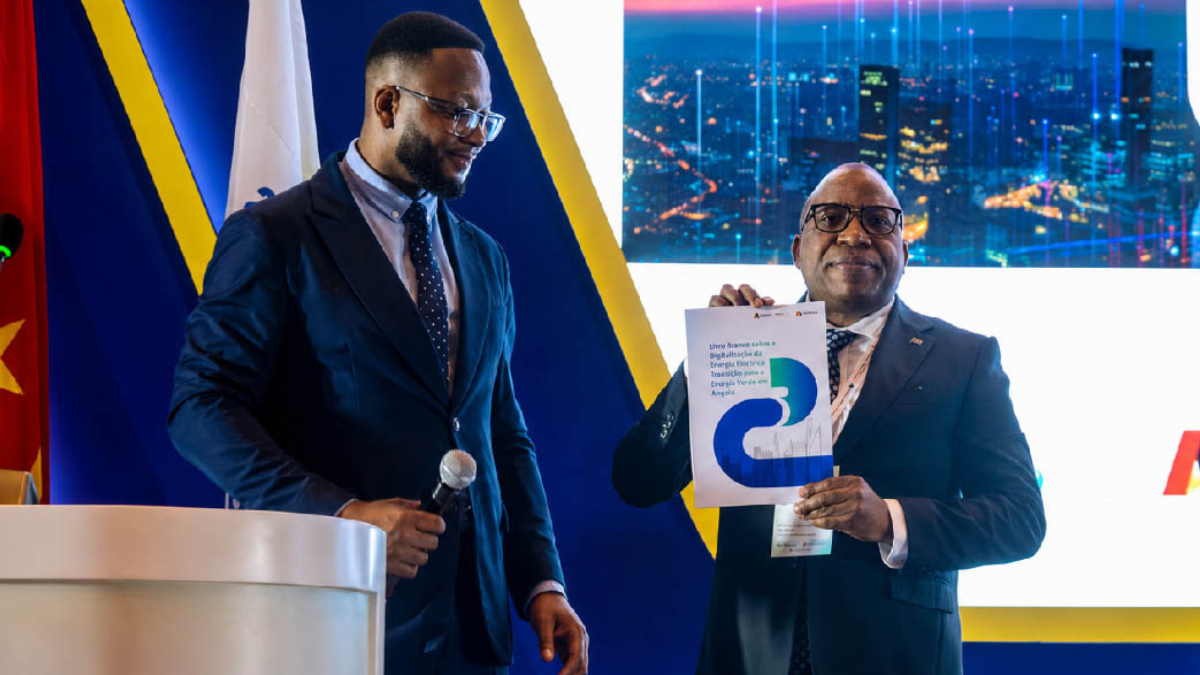
Imagine a future where a national power grid acts more like an organic, self-healing computer network than a chaotic mess of aging copper and transformers. If you think that sounds like science fiction, think again. On May 29, 2026, during the prestigious 2nd International Conference on Energy and Water in Luanda, Huawei teamed up with Angola’s Ministry of Energy and Water (MINEA) to release a historic white paper that promises to reshape the region’s entire power architecture.

The publication, aptly titled White Paper on Digitalization and Green Energy Transition of Angola’s Electric Power Industry, sets down an aggressive roadmap. It is a bold statement that digital modernization and structural economic survival are now inextricably linked.

Advertisement

A Visionary Leap for Angola’s Energy Grid

Angola is blessed with a staggering abundance of clean energy resources, positioning it beautifully to spearhead regional green integration across Southern Africa. But having raw potential means very little if your infrastructure is leaking energy like a sieve.

Dropping Watts, Adding Bits: The New Philosophy

To bridge this gap, the white paper relies heavily on a brilliant guiding principle: “more bits, less watts”. The idea is wonderfully simple yet revolutionary—by injecting massive digital intelligence (“bits”) into the grid, you can systematically optimize distribution and minimize pure power waste (“watts”). It’s about working smarter, not just pumping out more raw currents.

Advertisement

Resolving the Pains of Traditional Operational Models

Let’s be honest: traditional utility operations are feeling the strain. Arlindo Carlos, Angola’s Secretary of State for Energy and Water, frankly addressed the audience at the launch, pointing out the major bottlenecks plaguing legacy systems: heavy line losses, fragmented network management, and an expensive reliance on imported fuel. The status quo is no longer sustainable. By turning toward deep digital transformation, Angola intends to build a future power grid that is profoundly greener, smarter, and incredibly reliable.

Inside the Transformation: Merging Tech and Currents

So, how exactly does a world leader in telecommunications help stabilize a country’s power network? It happens by fundamentally shifting from hard iron to intelligent software.

Advertisement

The Power of Four Core Technology Clusters

The backbone of this collaboration involves fusing four vital technology domains into a unified ecosystem:

  • Digital Technologies (Bits): Cloud analytics, automated software controls, and IoT tracking.
  • Power Electronics (Watts): Next-gen converters and optimized hardware pathways.
  • Thermal Management (Heat): Advanced cooling methodologies to minimize energy bleed.
  • Energy Storage Management (Battery): Sophisticated, smart storage solutions to save power for when it’s needed most.

Evolving the Power Matrix: What Lies Ahead?

This initiative is not just a collection of theoretical ideas printed on glossy paper; it provides an explicit operational template for the upcoming years.

Intelligent Distribution and Advanced All-Optical Networks

Moving forward, the extensive, old-school infrastructure of the past will make way for automated, grid-forming energy storage systems and intelligent distribution grids. Backed by robust, high-speed all-optical communication networks, the grid can seamlessly detect faults, dynamically adjust power routing, and absorb fluctuating renewable energies from solar and hydro plants without breaking a sweat.

Advertisement

Conclusion: Lighting a Greener Path for Southern Africa

Ultimately, the joint white paper proves that the future of power isn’t merely about burning cleaner fuels—it is about managing existing resources with hyper-intelligence. Through the “more bits, less watts” doctrine, Huawei and MINEA are providing a shining template for the entire African continent. The digital power revolution has officially arrived, and it’s starting from the ground up!

Advertisement
Continue Reading

Most Popular