





Huawei has released a new version of DevEco Studio 2.2 Beta 2, with many new and enhanced features. At the same time, HarmonyOS SDK API6 Beta was officially upgraded to release after a round of iterations.
Upgrade Info:
Open the installed historical version of DevEco Studio and select “Help> Check for Updates” to upgrade.
Download directly from the HarmonyOS official website:
https://developer.harmonyos.com/cn/develop/deveco-studio
Huawei DevEco Studio (referred DevEco Studio) to develop HarmonyOS applications and atomic service one-stop integrated development environment (IDE), providing a template for developers to create projects, development , Compile, debug, release and other functions.
1. New template market
In order to meet the development needs of multiple devices and multiple scenarios, DevEco Studio provides a wealth of engineering templates, covering mobile phones, tablets, car machines, smart screens, smart wearables, lightweight smart wearables, and smart vision. The project wizard easily creates projects suitable for all types of equipment, and automatically generates corresponding codes and resource templates.
This time the 2.2 Beta2 version, a new template market MarketPlace is added. The built-in templates in DevEco Studio only retain the basic business templates, and more templates will be launched to MarketPlace. Developers can go to MarketPlace to download more business templates they need.
Specific usage method:
1. Select “File> New> New Project” in DevEco Studio to enter the Create Project Wizard window, as shown in Figure 1.
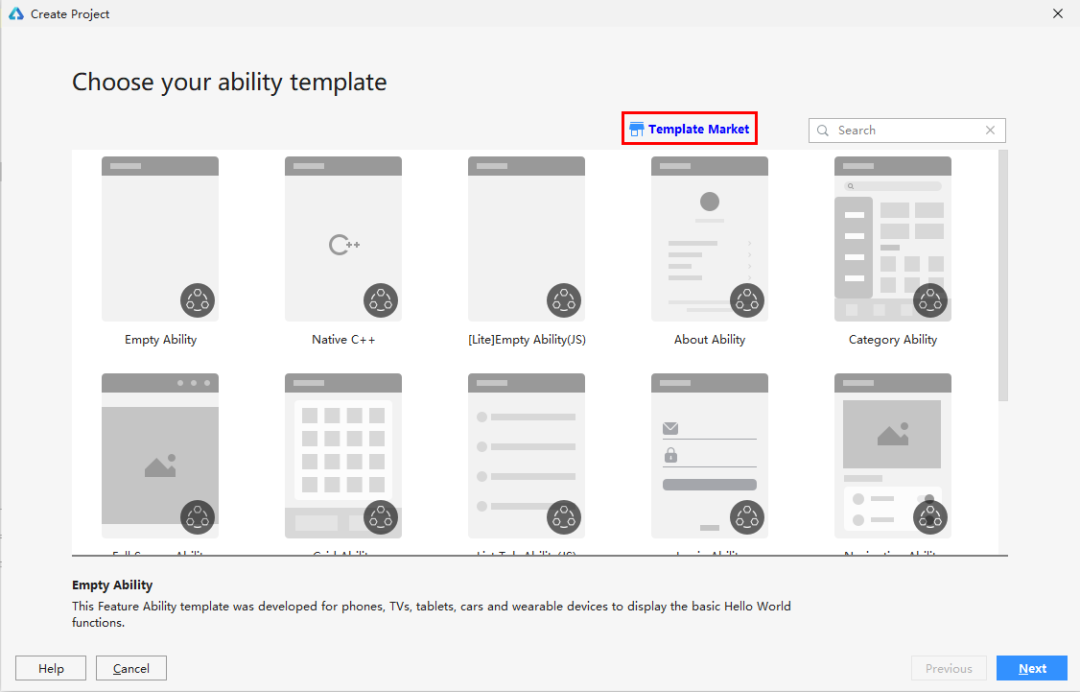
Figure 1 Create a project
2. Click “Template Market” in Figure 1 to enter the MarketPlace as shown in Figure 2 and download the template.
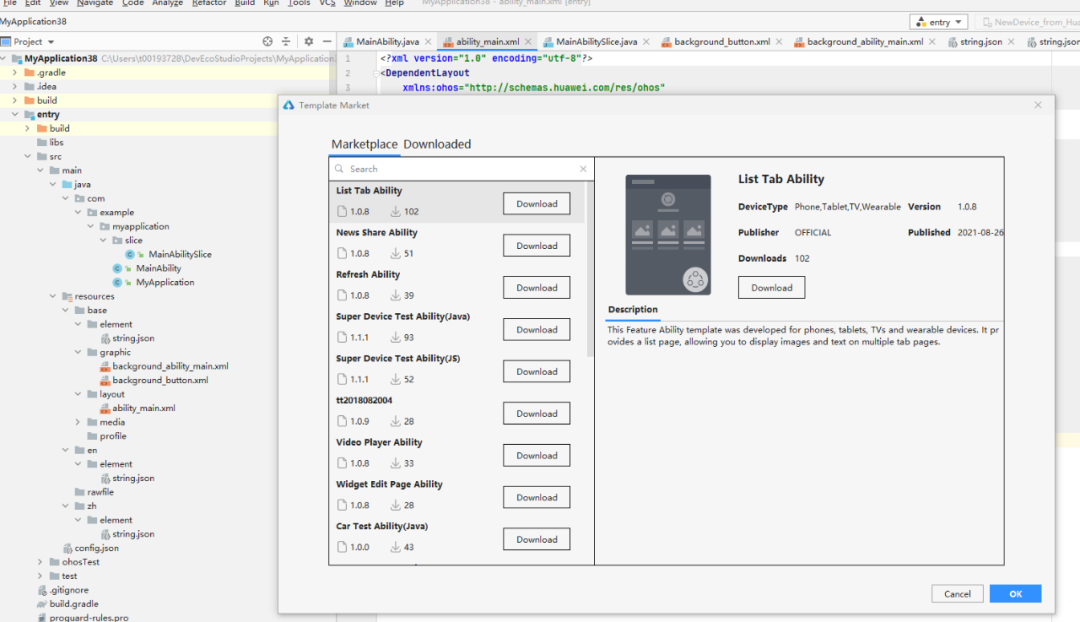
Figure 2 DevEco MarketPlace Resource Center
Second, the previewer adds custom functions
If you want to preview the interface effect during the development stage, you can use the previewer Previewer. In the previous version, Previewer only supported a few fixed-size canvases, which could not meet the needs of different screen resolutions.
In this version of 2.2 Beta2, Previewer has added a custom Profile Manager, which supports developers to customize the preview device Profile. You can set different resolution canvases and different languages to view the preview display of HarmonyOS applications or atomic services on different devices. Effect. At the same time, Profile Manager also instantiated some common device types, including P40, Mate X2, MatePad pro, X1 car, Watch3.
Specific usage method:
After customizing the preview device in Profile Manager, click the preview device in Previewer to view the preview display effect of the HarmonyOS application or atomic service on the device.
Figure 3 shows the switch profile to view the preview display effect on different devices.
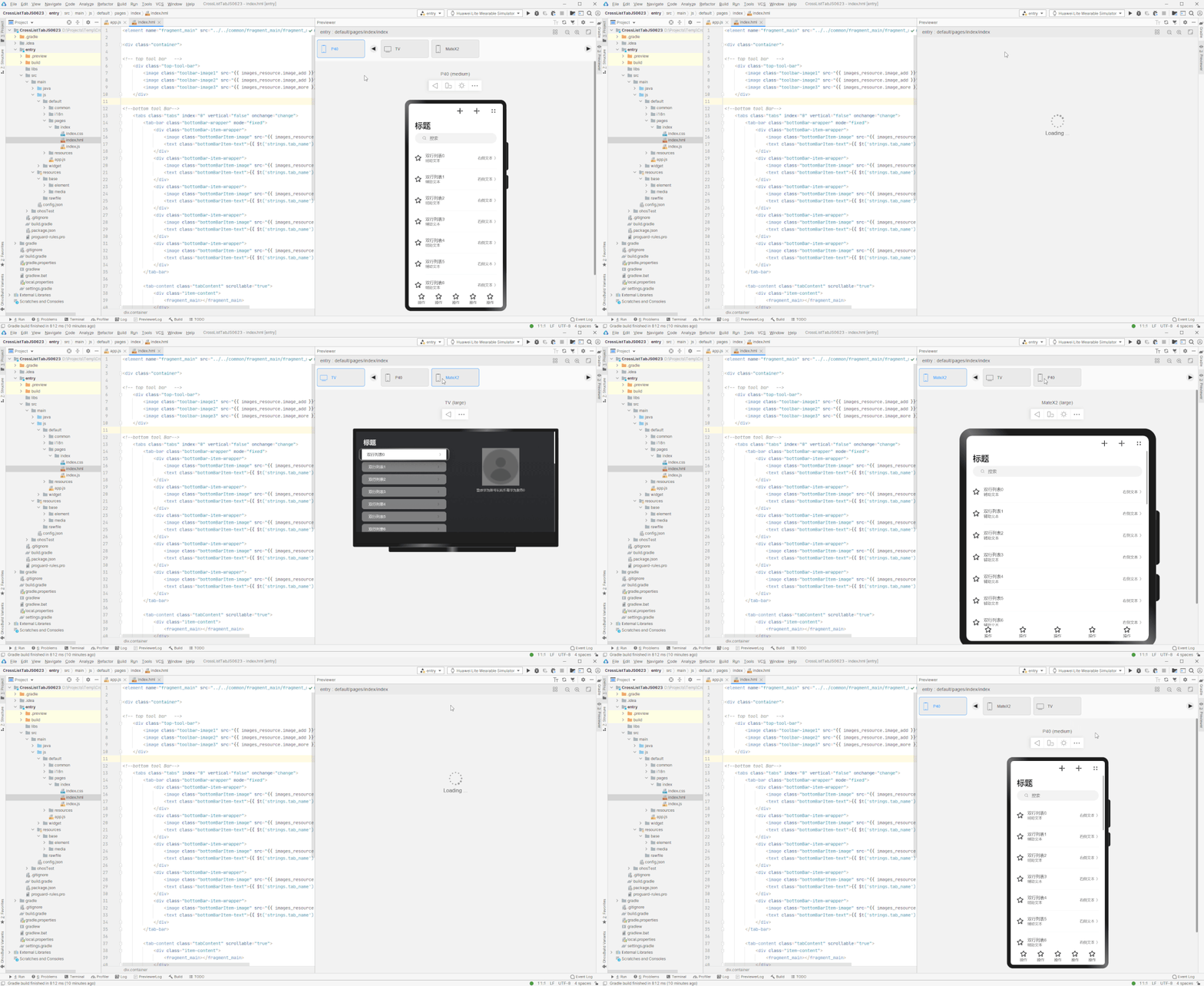
Figure 3 Switch profile
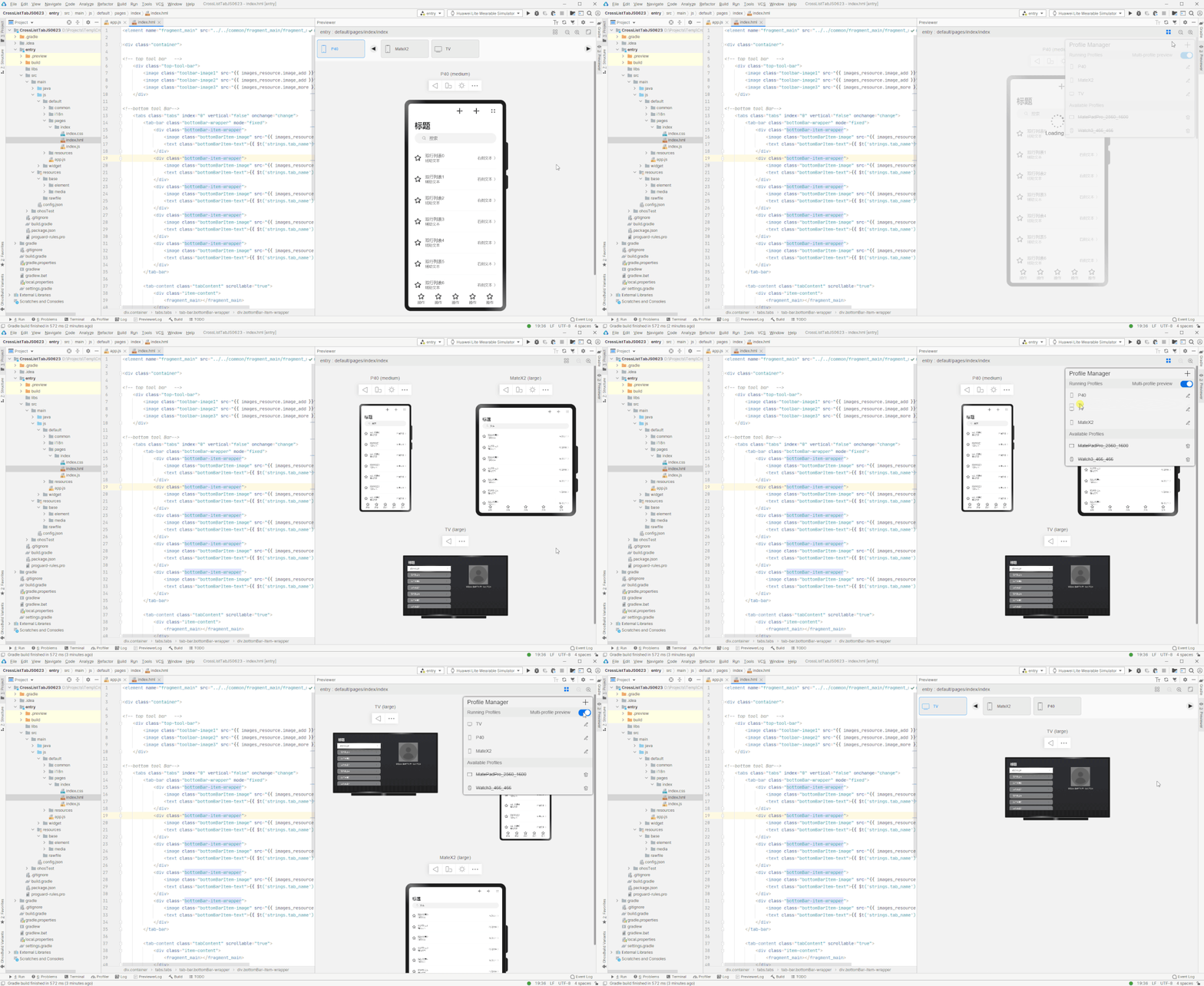
Figure 4 shows the Multi-profile preview function, which allows you to view the preview display effects of multiple devices at the same time.
Figure 4 Multi-profile preview
3. Added support for differentiated distribution of multiple entries on the same device
Because there are many types of devices, the resolution is not uniform, and the versions are different. In response to these differences, the previous DevEco Studio version required developers to adapt and develop different models of the same type of device, and then achieve precise distribution in the application market, so that consumers and users of different devices can get a better experience.
This 2.2 Beta2 version supports adding multiple Entry modules for the same type of device in the same project, and then configure distroFilter distribution rules in the config.json file of each Entry module to meet the differentiated distribution requirements of the same device.
The distroFilter distribution rule configuration code in the config.json file is as follows:
“module”: {… “distroFilter”: {“apiVersion”: {“policy”: “include|exclude” “value”: [5,6,7]}}}
(Swipe left and right to see more)
Four, HarmonyOS SDK API6 Release
HarmonyOS SDK API6 is upgraded to the Release version, the version number is 2.2.0.3, and the supporting compile and build plug-in is 2.4.5.5.
Compared with the previous version, the new version has no additions or changes in the interface content. But for the JS API, some interfaces that are unstable in the API6 Beta version can be used normally in this API6 Release version.
New features
Added template market.
The previewer adds custom functions.
Added support for differentiated distribution of multiple entries on the same device.
Added support for Java and C/C++ cross-language debugging capabilities. Developers can set a breakpoint at any line of code in Java or C/C++, and when the business logic is executed to the corresponding line of code, it can be interrupted at the breakpoint.
The HarmonyOS cloud test service has added power consumption testing capabilities, which can verify the power consumption of HarmonyOS applications and atomic services running on Huawei real devices, including screen occupation time, WLAN occupation time, and audio occupation time.
Enhanced features
In the project creation wizard, some templates support previewing template effects.
The previewer adds the ability to preview the expanded state of the Mate X2 folding screen.
The preview of the service card supports three sizes: Extremely Narrow (Minimum), Standard (Default) and Extremely Wide (Maximum).
JS and Java cross-language debugging supports FeatureAbility subscription scenarios and distributed FA scenarios.
JS debugging capabilities enhanced:
Support Restart Frame (supported by Phone and Tablet devices)
Hover, Inline Values, Set Value and abnormal breakpoint functions (not supported by TV and Wearable devices)
The HarmonyOS application testing framework function supports simultaneous running of Java and JS test tasks in a mixed Java and JS project.
JS/CSS/HML editor ability enhancement:
Support JS/CSS/HML breadcrumb navigation function
Support the automatic completion and jump of the json file field in the HML file in the card template
Support JS file to view code structured view
Fixed problem
Fixed the problem that the auto-completion function is abnormal after entering the value when the attribute value is a numeric attribute in the hml file.
Fixed the problem that the Run window displayed that the package was successfully pushed, but the installation was not successful when the package was pushed to install an unsigned application on the real router device.
Fixed the problem that when using the Wearable real machine and the simulator to run the JS test framework for single-step debugging, you need to click the Resume Program twice to enter the next breakpoint.
Fixed the problem that the time displayed in the preview interface is inconsistent with the time set in the code when previewing the Clock component.
Fixed the problem that in the macOS version, if you did not set a breakpoint in app.js, you could not enter the index.js breakpoint.
Fixed the problem that Wearable and TV debugging does not support ES6 Symbol type.
Fixed the issue that DevEco Studio freezes when opening the xml file in resources.
Fixed the problem that HiLog may not print logs normally.
(Via)