





Connect with us

Updates

PUBG is now available on AppGallery

picture-1

Published

on

PUBG is now available on AppGallery

Here is the piece of good news coming up from Huawei’s official App store AppGallery. According to the information, PUBG which users have been waiting for and wanted for a long time is now in AppGallery.

Making this listing may help other companies also to list the new games on AppGallery as well. We anticipate that 2022 will be a great year for the AppGallery / HMS ecosystem.

Advertisement

Users of Huawei phones are now can easily install the PUBG game in AppGallery, they will be able to make their payments without any problems, and they will be able to benefit from Huawei-specific performance settings.

PUBG is currently live in AppGallery in “pre-order” format. Pre-order is a feature that allows the game to be automatically installed on your device when it is released. You can get help with the screenshots we will present on how you can do this.

Advertisement

1-) Click on AppGallery, then find Games. Find pre-order games by gently scrolling down. PUBG is already at the top right now.

2-) You can click on PUBG or directly click on the “Pre-Order” button. Contrary to the sentence definition, you are not charged for this transaction, it is a free transaction. You can think of it as a reservation.

Advertisement

PUBG is now available on AppGallery

PUBG is now available on AppGallery-1

(Via)

Advertisement

Huawei Apps Apk

Huawei Music Latest 2026 Update

picture-1

Published

on

By

Huawei Music

Huawei is sending out a brand new software update for its core mobile applications. This time, the official Huawei Music App is getting a fresh installation package for global users. The new build brings important bug fixes and optimization tweaks to make your daily audio streaming experience much smoother than before.

The newest update arrives with the official version number 12.11.39.310. The deployment size is around 145MB, so it is best to use a stable Wi-Fi connection to download it. This default system application allows you to play your locally saved audio files and stream millions of popular songs from a massive online database, acting as a great local alternative to Spotify.

Advertisement

With this updated application, you can enjoy your favorite music tracks anytime and anywhere. The software layout is incredibly clean and simple, making it easy to browse through custom playlists categorized by your mood. It also supports high-quality, lossless sound formats, giving you clear audio whether you are wearing wireless earbuds or using the main speakers of your phone.

Check compatibility and download the latest version

This music tool is fully compatible with older and newer smartphones. It runs perfectly on all devices running on EMUI 4.0 or any higher version up to the current software builds. The update is rolling out gradually over the air through the official AppGallery platform, meaning some regional models might receive the download prompt slightly later than others.

Advertisement

If you want to experience the new changes immediately without waiting for the automatic notification, you can download the safe APK installation file directly from trusted online application repositories. Keeping your core system applications updated ensures that you do not face any random freezing or audio slowdown issues during your daily media playback sessions.

DOWNLOAD THE LATEST HUAWEI MUSIC APP

DOWNLOAD THE LATEST HUAWEI MUSIC Wear OS APP

Download the latest version of Huawei music App from Huawei AppGallery.

HUAWEI Music aims to provide a High-Quality and All-Scenario music experience, with vast music catalog* for streaming.

Advertisement

Stations
Enjoy diversified and personalized radio stations.

Browse
Discover global hit tracks in exclusive charts and curated playlists.

Advertisement

Albums
Catch every hit album and let yourself immerse.

All-scenario
Cross-device Streaming
Huawei Music supports all-scenario, cross-Huawei-devices Streaming, allowing you to enjoy high-quality music at anytime anywhere.

Advertisement

IDENTIFY
Identify songs intelligently with a strong database and AI matching system. Starting now, find the songs you aim to love.

RUNNING MUSIC
Running music from HUAWEI Music can help users find and match the suitable music according to the user’s running BPM(beats per minute).

Advertisement

PARTY MODE
Connect Huawei Mobiles together and play the same song simultaneously to experience the surrounding sound.

JOIN US ON TELEGRAM

Advertisement
Continue Reading

HarmonyOS 5

Huawei Mate XT HarmonyOS 5.1.0.128 update rolling out

picture-1

Published

on

By

Huawei Mate XT Tri Fold Phone

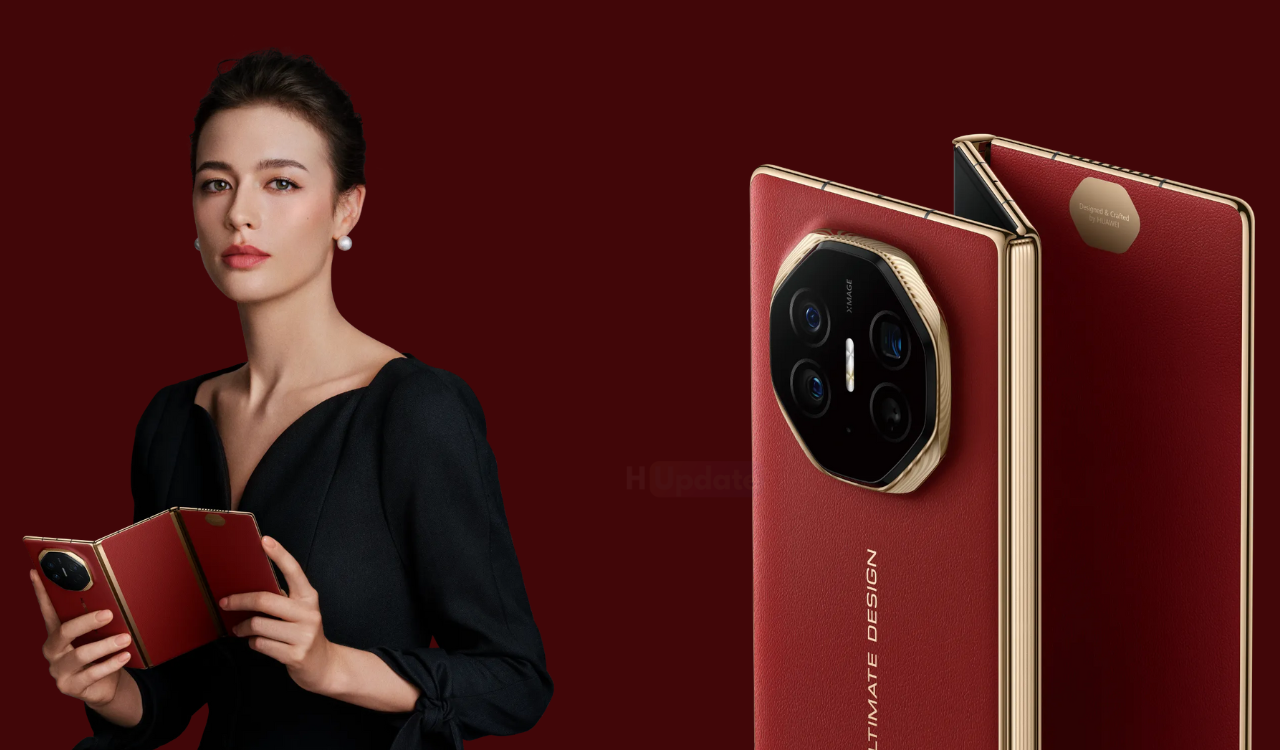
Huawei has started rolling out the HarmonyOS 5.1.0.128 SP5 update to its Mate XT tri-fold phone. The system package size is about 1.90GB, bringing more new features and experiences.

For example, the live window will receive a new upgrade in visuals and motion effects, while covering more life scenarios; the AI photo editing function of the gallery will add magic image transfer and portrait refinement functions.

Advertisement

Version push time

July 29, 2025: Unlimited upgrades from 5.0.1.130SP8 to 5.1.0.128SP5 are available . Go to Settings > Tap your device name > Check for updates. If your device hasn’t yet been upgraded to HarmonyOS 5, it’s recommended to upgrade first through My Huawei App > Upgrades > (Multi-device Upgrades) and then upgrade to 5.1.0.128SP5 through Settings > Tap your device name > Check for updates.

Advertisement

Compatible models
HUAWEI Mate XT | ULTIMATE DESIGN ( GRL-AL10 )

Version Changelog
Update points from 5.0.1.130SP8 to 5.1.0.128SP5:

Advertisement

Live Window
The visual and dynamic effects are completely upgraded, the live window is displayed in the center , the real-time information flow and the camera hole are cleverly combined, the key information is in the visual focus, the amount of text information on the left and right has doubled, and the delivery status of the takeaway order, the license plate number of the taxi and other information are clear at a glance

Covering more life scenarios, supporting multi-task display and interaction , and obtaining information more efficiently

Advertisement

Gallery
New Magic Image Shift function , you can freely drag, scale or copy the elements in the photo you have taken. You can easily adjust the relationship between the elements and the background without professional cutout tools, and easily achieve creative composition (Gallery Edit > AI Photo Editing)

New portrait retouching function , AI intelligently analyzes portrait scenes, automatically optimizes lighting and composition effects, making your portrait photos more outstanding (Gallery Edit > AI Retouching)

Advertisement

Support adding gallery cards on the desktop for quick browsing of albums

Theme
Supports the use of the silly dance theme shared from the HUAWEI Pura80 series

Advertisement

Xiaoyi
Supports the Creative Studio agent. Provide a text to describe the picture. The Creative Studio agent can draw a variety of imaginative pictures for you (Xiaoyi App > Discover > Agent > Creative Studio)

Supports Xiaoyi Photo Studio intelligent agent, which can generate your own exquisite creative photos through templates of various styles, experience different hairstyles, travel through different time and space, realize various “what ifs”, and experience various parallel lives without leaving home (Xiaoyi App > Discover > Intelligent Agent > Xiaoyi Photo Studio)

Advertisement

Supports Xiaoyi’s deep problem-solving intelligent body, which has multiple functions such as photo-taking and problem-solving, homework correction, etc. It is a parent tutoring assistant that helps improve learning efficiency throughout the whole process

System
Notification center supports batch management of notifications (Settings > Notifications and Status Bar)

Advertisement

Optimize the document recognition capability of Huawei payment upload

Optimize the smoothness of dragging large files between Huawei Windows PC and mobile phone

Advertisement

Lock screen
Optimize the smoothness of sliding messages left and right on the lock screen

Recording
Support multiple applications to record at the same time

Advertisement

Game
Optimize the stability and fluency of the game engine to enhance the gaming experience

Wallet
Wallet card swiping is connected to the new live window . Card swiping status such as transportation cards, access cards and car keys will be presented in the form of live window cards, with key information displayed locally, and light reminders are more comfortable

Advertisement

Calendar
Subscription service supports subscription to “This Day in History” (Sidebar > Subscription Service > Manage)

Added illustration background to solar term cards in month view (Calendar Settings > Other Calendars > Chinese Lunar Calendar)

Advertisement

Accessories
Smart voice broadcast in headphones

Connect to Huawei headphones to support live window information broadcasting of travel applications, such as taxis and boarding. When the vehicle arrives or boarding starts, the headphones will automatically play reminder messages, making it easy to cope with busy lives

Advertisement

Connecting Huawei headphones supports integrated broadcasting of long text notification messages received by the phone in scenarios such as travel, takeout, and payment, so that only key information is obtained without internal consumption.

HiCar Shake App Flow

Advertisement

After connecting to HiCar, when the “transferable” live window appears on the mobile application interface, shake the phone and the page content can be transferred to the car screen display.

Advertisement
Continue Reading

Huawei Apps Apk

Huawei Health App Update July 2025: New AI Features

picture-1

Published

on

By

Huawei Health App Update

Huawei Health App Update July 2025: New AI Features and Enhanced Performance (Version 15.1.6.300)

Huawei has officially released the latest update for its popular Health application, bringing version 15.1.6.300 to users worldwide in July 2025. This comprehensive update introduces groundbreaking AI-powered features and significant performance improvements that enhance the overall fitness tracking experience.

What’s New in Huawei Health App 15.1.6.300

Revolutionary AI Body Shape Analysis

The standout feature of this update is the introduction of AI body shape analysis in the weight management section. Users can now simply take a photo to receive:

Advertisement
  • Personalized body shape improvement plans
  • Detailed body composition insights
  • Customized fitness recommendations based on individual body types

Enhanced Health Insights Dashboard

The previous “Trends” feature has been completely redesigned and upgraded to “Health Insights,” offering:

  • Multidimensional data correlation analysis for comprehensive health tracking
  • Advanced pattern recognition across different health metrics
  • Predictive insights to help users achieve their fitness goals

Improved Social Features

The new update introduces a brand new sports record sharing experience, making it easier than ever to:

  • Share workout achievements with friends and family
  • Connect with the fitness community
  • Motivate others through social fitness challenges

Premium Membership Experience

A dedicated Membership tab page has been added, providing premium users with:

  • Exclusive access to advanced features
  • Personalized coaching programs
  • Priority customer support

Technical Improvements and Bug Fixes

Sleep Monitoring Enhancements

  • Mobile phone sleep recording algorithm optimization for more accurate sleep tracking
  • New support for sleep snoring and sleep talking detection and sharing
  • Improved sleep quality analysis and recommendations

User Interface Optimizations

  • Complete overhaul of the “My Map” page for better navigation
  • Fixed dark mode display issues in Knowledge Headlines
  • Enhanced app stability and performance across all Android devices

Activity Tracking Improvements

  • Streamlined diet log experience with simplified food entry
  • Added comprehensive summary data for all activity records
  • Resolved Clover drinking water task completion issues

Comprehensive Fitness Tracking Features

Multi-Sport Support

The Huawei Health App continues to excel in fitness tracking with support for:

  • Walking, running, and cycling modes with detailed metrics
  • Real-time heart rate monitoring during workouts
  • GPS trajectory tracking with speed and distance measurements
  • Comprehensive sports data analysis and reporting

Training Programs

  • 5K to marathon training programs suitable for all fitness levels
  • Progressive workout plans that adapt to user performance
  • Integration with Huawei wearable devices for seamless data synchronization

Device Compatibility

  • Android 4.4.4 and above supported
  • Minimum 2GB RAM requirement for optimal performance
  • Full integration with Huawei Wear APP ecosystem

System Requirements and Compatibility

To ensure optimal performance of the Huawei Health App 15.1.6.300:

  • Operating System: Android 4.4.4 or higher
  • RAM: Minimum 2GB (4GB recommended)
  • Storage: At least 100MB free space
  • Network: Stable internet connection for cloud sync

How to Update Huawei Health App

Automatic Update

  1. Open the Huawei AppGallery on your device
  2. Navigate to “My Apps” section
  3. Look for Huawei Health in the update list
  4. Tap “Update” to install version 15.1.6.300

Manual Installation

Users can also download the APK directly from trusted sources or the official Huawei website. Always ensure you’re downloading from verified sources to maintain device security.

Download Links and Version History

Latest Version

  • Huawei Health 15.1.6.300 (July 03, 2025) – Current stable release

Why This Update Matters

The July 2025 update represents a significant leap forward in mobile health technology. The integration of AI-powered body analysis and enhanced health insights positions the Huawei Health App as a leader in the competitive fitness tracking market. These improvements directly address user feedback and market demands for more intelligent, personalized health solutions.

Conclusion

The Huawei Health App 15.1.6.300 update brings substantial improvements that make it an essential tool for anyone serious about fitness and health tracking. With its new AI features, enhanced social capabilities, and improved stability, this update reinforces Huawei’s commitment to providing cutting-edge health technology.

Download the latest version today to experience these revolutionary features and take your fitness journey to the next level. The combination of advanced AI analysis, comprehensive tracking capabilities, and seamless device integration makes this one of the most significant updates in the app’s history.

Advertisement

DOWNLOAD HUAWEI HEALTH LATEST APP

JOIN HU ON TELEGRAM

Continue Reading

Most Popular