






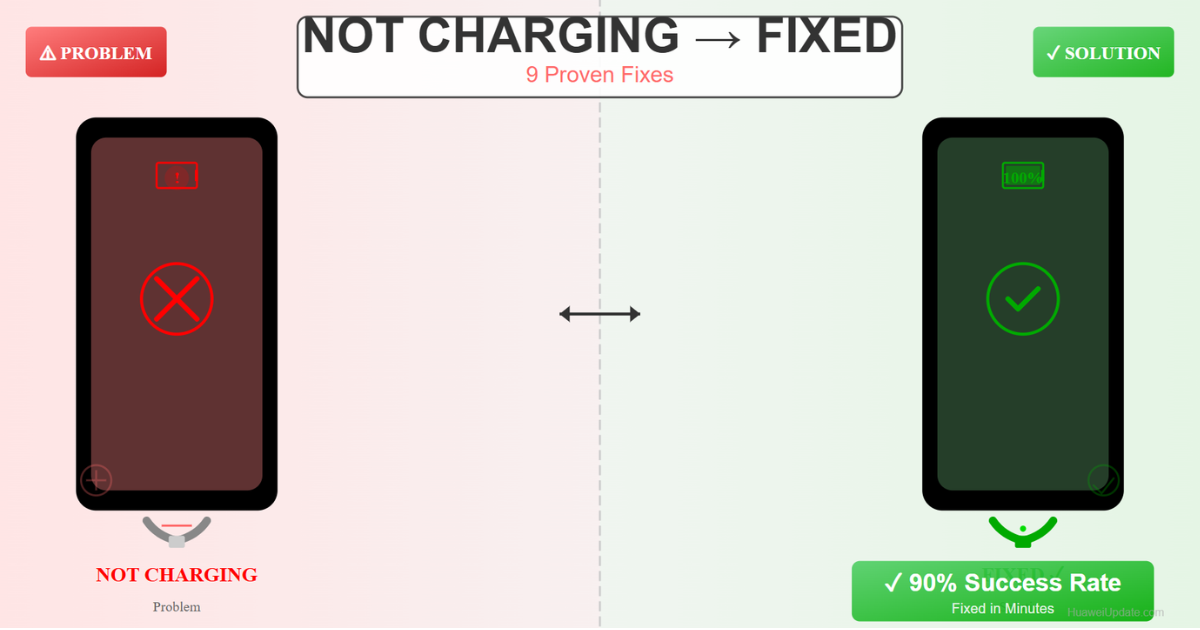
Your Huawei phone won’t charge. You plug it in, nothing happens. Before you panic or buy a new phone, try these 9 proven fixes. 90% of charging issues are fixable in minutes with simple troubleshooting.
This guide covers everything from cable issues to software problems to hardware failures.
Quick Fix (Try First – 80% Success)
Do these three things immediately:
1. Clean Charging Port
- Power off your phone
- Look inside charging port (USB-C) for dust/debris
- Use a toothpick or compressed air to gently clean
- Try charging again
2. Try Different Cable & Charger
- Borrow a friend’s Huawei charger
- If phone charges = your cable/charger is broken
- Buy replacement cable/charger
3. Force Restart Phone
- Hold Power + Volume Down for 10 seconds
- Release and wait 5 seconds
- Phone will restart
- Try charging
Time: 5 minutes | Success rate: 80%
✓ Most charging issues are fixed by cleaning the port or replacing the cable
Why Won’t Your Huawei Phone Charge?
Charging problems usually come from:
Cable/Charger Issues (60%)
- Damaged charging cable (bent, frayed)
- Broken charger (not delivering power)
- Wrong charger (non-original/low quality)
- Loose connection
Phone Hardware (25%)
- Dirty charging port
- Damaged charging port (liquid damage)
- Battery failure
- Internal charging circuit issue
Software (15%)
- Corrupted system files
- Software bug preventing charge detection
- Outdated firmware
Complete Charging Problem Fixes
Fix #1: Clean the Charging Port MOST EFFECTIVE
What causes it: Dust, lint, and debris in USB-C port prevents proper connection
How to clean:
- Power off phone completely
- Look closely at charging port (bottom of phone)
- If you see lint/dust, use one of these methods:
- Method A (Safest): Compressed air can – short bursts only
- Method B: Toothpick – gently scrape sides (avoid center)
- Method C: Cotton swab – carefully insert and twist
- Try charging with original cable
- If works, problem solved!
⚠️ Warnings: – Don’t use metal objects (can short circuit) – Don’t poke hard (can damage pins) – Don’t pour liquid (water damages port)
Success rate: 50-70%
Fix #2: Replace Charging Cable
What causes it: Most common cause – cables wear out from bending
How to test if cable is broken:
- Borrow a different Huawei charging cable
- Use with your original charger
- If phone charges = your cable is bad
- Buy replacement cable (₹200-500)
Signs of damaged cable:
- Exposed wires
- Bent connector
- Frayed insulation
- Only charges at certain angles
- Charger gets very hot
Buy the right cable:
- Best: Original Huawei USB-C cable (₹300-500)
- Good: Certified third-party (Anker, etc.) – ₹200-300
- Avoid: Ultra-cheap cables (breakage risk)
Success rate: 60-80%
Fix #3: Replace Charger/Power Adapter
What causes it: Charger stops delivering power to battery
How to test:
- Borrow friend’s Huawei charger (5V/2A or higher)
- Use with your cable
- If phone charges = your charger is broken
- Buy replacement charger
Signs of broken charger:
- Charger doesn’t glow/light up
- No vibration when plugged (on most phones)
- Charger gets extremely hot (>60°C)
- Slight burnt smell
- Cord damage near charger
Buy correct charger:
- Check your phone model: Settings > About Phone
- Look at old charger specifications: Usually says “5V/2A” or “9V/2A”
- Buy same or higher amperage: Higher A = faster charging
- Best brands: Original Huawei, Anker, Belkin
Success rate: 70-90%
Fix #4: Update HarmonyOS/EMUI
What it is: Software bugs sometimes prevent charging detection
How to update:
- Settings > About Phone > System Updates
- If update available, tap “Download”
- Wait for download (do this on WiFi)
- Tap “Install” (phone will restart)
- Wait 10-20 minutes for installation
Update while charging:
If phone won’t charge, you can’t install updates. Skip to other fixes first.
Success rate: 10-15% (if charging problem is software)
Fix #5: Check Charging Settings
What it is: Sometimes battery charging is disabled in settings (rare but possible)
Check if charging is enabled:
- Settings > Battery > Charging
- Make sure “Charging” is ON (not disabled)
- Check for “Charging Mode” – set to Normal (not Battery Saver if that’s limiting)
- Tap back and try charging
Enable Fast Charging (if available):
- Settings > Battery > Fast Charging
- Turn ON
- Use original charger for fast charging
Success rate: 5-10%
Fix #6: Try Safe Mode Charging
What it is: A corrupted app might be interfering with charging detection
Boot into Safe Mode:
- Power off phone
- Hold Power button to turn on
- When Huawei logo appears, immediately hold Volume Down until phone fully boots
- You’ll see “Safe Mode” in bottom left corner
- Try charging
If it charges in Safe Mode:
- A third-party app is causing the issue
- Boot normally
- Uninstall recently installed apps one by one
- Test charging after each uninstall
If it still doesn’t charge in Safe Mode:
Problem is hardware, not software. Go to Fix #7.
Success rate: 15-20%
Fix #7: Check Battery Health
What it is: Battery might be dead and needs replacement
Check battery status:
- Settings > About Phone > Battery
- Look for “Battery Health”
- If it says “Poor” or “Degraded”, battery needs replacement
- If it says “Good”, battery is fine
Signs of dead battery:
- Phone is completely dead (won’t turn on)
- Charges to 1%, then drops to 0%
- Phone randomly shuts down even with 20% charge
- Battery doesn’t hold charge (drops 10% per hour)
- Battery puffed up/swollen (DANGER – don’t use)
If battery is dead:
- Visit Huawei Service Center
- Cost: ₹1,500-3,000 for battery replacement
- Process: Takes 30 min – 1 hour
Success rate: 100% (if battery is the issue)
Fix #8: Factory Reset (Last Software Fix)
Only if problem is software-related and other fixes failed
Before you reset:
- If phone is completely dead, charge with different cable/charger first
- Backup all data to Huawei Cloud or Google Drive
- Write down important passwords
How to factory reset:
- Settings > About Phone > Reset
- Tap “Erase all data”
- Choose “Full Reset”
- Phone will restart and erase
- Wait 10-15 minutes
- Set up as new phone
- Try charging
⚠️ This deletes all data – backup first!
Success rate: 20-30% (if software problem)
Fix #9: Visit Service Center (Hardware Issue)
If none of the above work, it’s a hardware problem
What to bring:
- Your Huawei phone
- ID proof (Aadhar/Passport)
- Phone proof of purchase (if available)
What they’ll do:
- Diagnose the problem
- Test charging port
- Check battery health
- Check charging circuit
Possible repairs:
- Charging port replacement: ₹1,000-2,000
- Battery replacement: ₹1,500-3,000
- Motherboard repair: ₹2,000-5,000
- Full phone replacement (if under warranty): Free
Success rate: 99% (official service)
Quick Decision Tree
Your phone won’t charge? Follow this:
- Does different cable work? – YES → Buy new cable (Fix #2)
- Does different charger work? – YES → Buy new charger (Fix #3)
- Is charging port dirty? – YES → Clean it (Fix #1)
- Does it charge in Safe Mode? – YES → Uninstall recent apps (Fix #6)
- Is battery health “Poor”? – YES → Replace battery (Fix #7)
- If nothing works – Visit service center (Fix #9)
⚠️ Common Questions
“Is my phone permanently broken?”
Probably not. 90% of charging issues are fixable. Most likely: cable or charger problem.
“Will cleaning the port damage my phone?”
If you’re careful, no. Don’t use metal objects, don’t push hard. Compressed air is safest.
“Can I use any USB-C charger?”
Any USB-C charger will work, but original Huawei chargers charge faster. Any certified charger (Anker, Belkin) is safe.
“Why did my charger break?”
Chargers wear out from heat cycling, bending the cable, and age. Average lifespan: 2-3 years.
“Can I charge via computer USB?”
Yes, but very slowly (takes 8-12 hours). Use for emergency only. Proper charger is much better.
Prevention Tips
- Don’t bend cables excessively – fold gently
- Use original or certified chargers – cheap ones degrade fast
- Clean charging port monthly – prevents debris buildup
- Avoid extreme temperatures – don’t charge in direct sun or freezing cold
- Don’t keep charger always plugged – let it cool between charges
- Use charging protection – Huawei batteries have built-in protection, but don’t charge overnight regularly
Summary
- Most likely fix: Replace cable or charger (60-80% success)
- Try second: Clean charging port (50-70% success)
- Last resort: Visit service center (99% success)
- Time to diagnose: 15-20 minutes
- Time to fix: Minutes (if cable/charger) to 1 hour (if service center)
Next Steps
- Try the quick fix first (clean port, test with different cable)
- If that doesn’t work, follow the decision tree
- Buy replacement parts if needed (cable/charger)
- Visit service center if hardware issue
Related: