



Connect with us

EMUI 10

These Huawei and Honor phone users are reporting EMUI 10 bugs

picture-1

Published

on

EMUI 10 Bugs-Issues-Problems

Huawei/Honor has pushed the latest EMUI 10 update to its selected smartphones/devices according to the official schedule but some users after installing the update version EMUI 10.x.x.x (X= update version number depends on system-wise) facing lot’s of issues, EMUI 10 bugs/EMUI 10 problems/EMUI 10 errors.

These Huawei/Honor smartphones facing EMUI 10 Bugs/Issues/Problems:

  • Honor 8X EMUI  10.0.0.151
  • Honor 20i EMUI  10.0.0.175
  • Honor 10 Lite EMUI  10.0.0.166
  • Honor View 10 EMUI  10.0.0.152

Honor 8X EMUI 10 Issue:

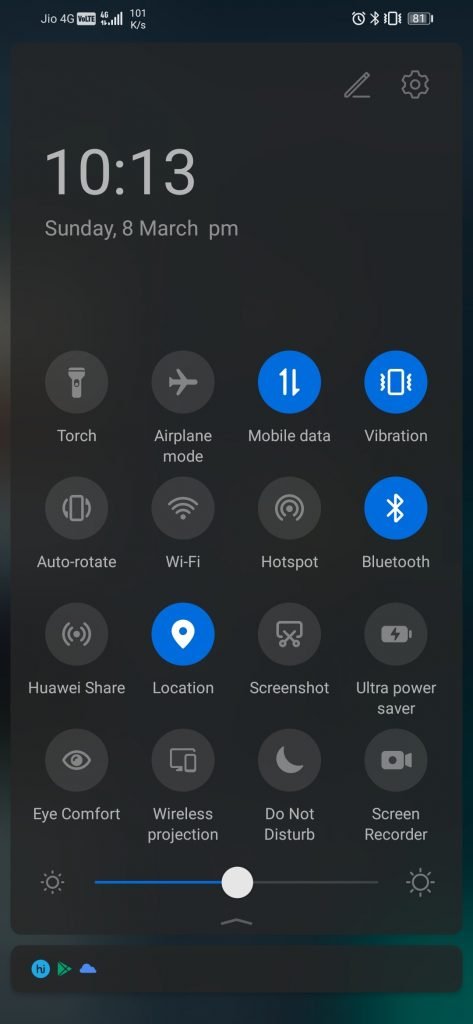
The error is generally occurring on the Slide down menu. User’s found the first glitch on the Honor 8X, the PM which should be next to the time is next to the day.
Advertisement

Honor 8X EMUI 10 Issue Screenshot

Honor 20i EMUI 10 Issue:

Honor 20i display issue

New bugs in EMUI 10 after update:

Honor 8X JSN-L22 User: After Updating I’ve recently updated my Honor 8X to EMUI 10 and I’ve found some annoying bugs. First is the notification panel animation; every time I swipe down quickly, the background changes to blur without the fade effect and it also happens when I close the panel quickly.

Advertisement

Second is with the gesture navigation; the animation when opening apps using the gesture navigation is not like other Huawei devices with EMUI 10. The animation on the Honor 8X is different and not as fluid.

Last is the location of “am” and “pm” on the notification panel (As shown in the image above); it is placed next to the date, it should be located next to the time. Although these are minor bugs, it really is ruining the fluidity and smoothness of the UI experience.

Honor 10 Lite:

Advertisement

After updating to the latest EMUI 10 version, Honor 10 Lite not showing call notification for 0-5min.

Honor View 10:

Honor View 10 after EMUI update, facing serious heating issues.

Advertisement

Other Smartphones Bug:

User 1: After updating EMUI 10 I Have noticed a bug. If am trying to uninstall any app done perfectly but after uninstalling the top right corner the Uninstall caption showing always. After restarting the device then the icon removes.
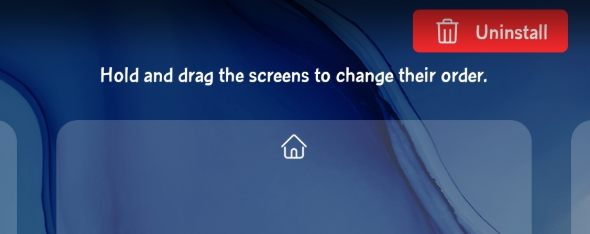
EMUI 10 bug

User 2: After the android 10 update, In notepad, I found an issue that when I am saving one-note as image file its watermark showing ‘sys default watermark’.

Advertisement

EMUI 10 bug-2

User 3:

After updating the phone to EMUI 10 my music player widget stopped working. Does anyone else is facing the same issue? Also, all the icons on notification drop-down are large even when the small size is selected for text and display.
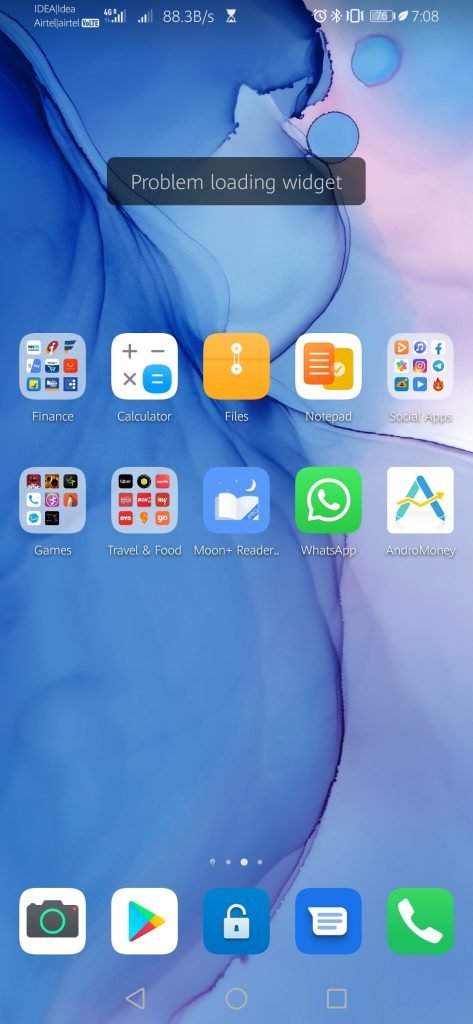
EMUI 10 Music app widget issue

User 4:

Advertisement

EMUI 10 has a hotspot issue.

User 5:

Experiencing a bug after I updated my phone to 361. Whenever I play games or uses an app. The brightness will suddenly become dimmer (already disabled auto-brightness) and my phone will become really laggy at the same time. The battery will also drain even tho I’m charging when using any app or games. But it charges properly when in the home screen. Already tried formatting the phone, clearing cache partition, and even rollback using hisuite.

Advertisement

Solution: We suggest, wait for another rollout because the company is working on the adaptation and optimization for the next EMUI 10 update. Once we receive the new version or update, we will let you know in the same article.

Meanwhile, If you also facing the same issue related to the above topics, send us a screenshot on firmware@huaweiupdate.com (Don’t forget to mention Device name and Version number thanks.)
Advertisement

EMUI 10

Huawei P30 Lite getting April 2022 patch update in Europe

picture-1

Published

on

By

Huawei-P30-Lite

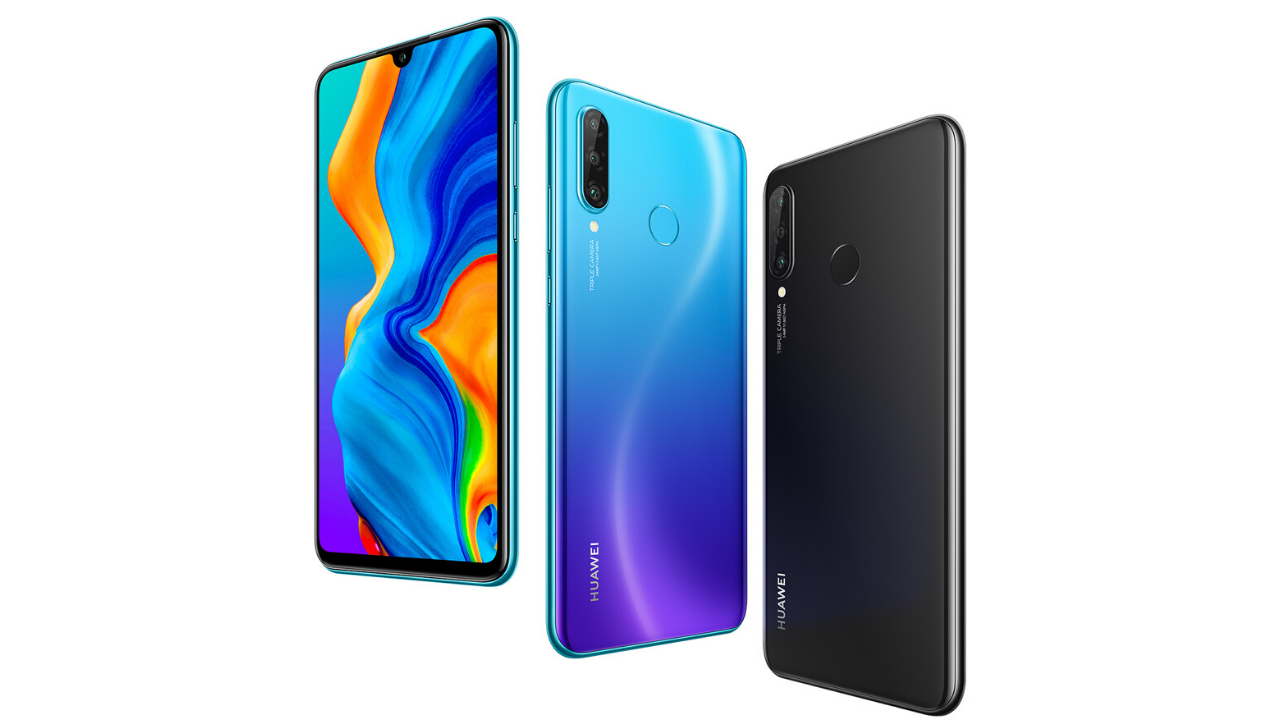
In the Europe market, the Huawei P30 Lite smartphone users are now grabbing the new software update based on EMUI 10. The latest update comes with the build number EMUI 10.0.0.562 and it brings April 2022 security patch update.

Huawei P30 Lite EMUI 10.0.0.562 Update Changelog:

List of Changes
This update improves system security with security patches.

Advertisement

[Security]
Integrates security patches released in April 2022 for improved system security.

Notes on the update:
1. Your personal data will not be deleted by the update. However, we recommend that you back up important data before updating.
2. If you encounter any problems during the update, call Huawei customer hotline or visit a Huawei customer service center.
3. The update package will be automatically deleted after the update is complete.

Huawei P30 Lite Specifications:

Advertisement

Huawei P30 Lite smartphone is powered by Octa core (2.2 GHz, Quad core, Cortex A73 + 1.7 GHz, Quad core, Cortex A53) processor and it runs on the HiSilicon Kirin 710 Chipset. For memory the device has a 4 GB RAM and 128 GB internal storage.

As far as the camera concerned, users will get a 32 MP f/2.0 Primary Camera and at the rear, there’s an 24MP + 8MP + 2MP camera with features like 2 x Digital Zoom, Auto Flash, Face detection, Touch to focus. It is backed by a 3340 mAh battery.

Huawei-P30-Lite

Advertisement
Continue Reading

EMUI 10

Huawei P Smart Pro getting March 2022 security patch update [Turkey]

picture-1

Published

on

By

Huawei P Smart Pro March 2022 security patch

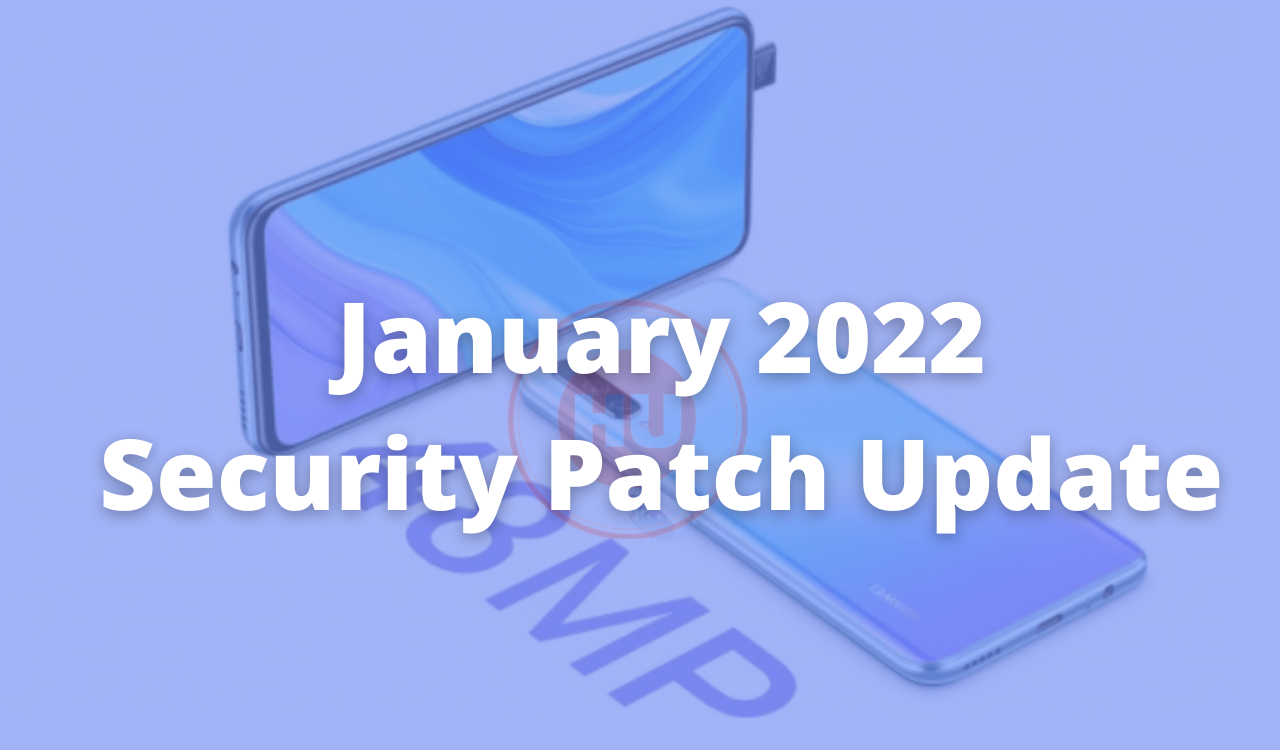
Huawei released the March 2022 security patch update for the P Smart Pro smartphone users globally. The all-new update comes with build number EMUI 10.0.0.479. At the same time, you can join the EMUI 12 Beta process with this update.

Huawei P Smart Pro EMUI 10.0.0.479 Update Changelog:

[Security]
Integrates security patches released in January 2022 for improved system security

Advertisement

Notes:

This update will not erase your data but backing up your important data before updating might be useful if in case anything happens.
Before updating make sure that your phone has 50% or above charge.
Download the update through Wi-Fi to avoid extra mobile data charges or failure in downloading the update.
Please wait patiently until the update is processed successfully.

How to update?

Advertisement

First check, if you haven’t received a notification yet, check for the OTA update in Settings manually, just tap on the Setting option in your smartphone, Settings > System > Software update > Check for Updates > Download and install.

You can also update using the Support app. Open the app, go to Support app> Services>Update> Check for Updates> Download & Install.

Huawei P Smart Pro Specifications:

Advertisement

To recall, the Huawei P Smart Pro features a 6.59-inch IPS LCD display that produces Full HD+ resolution of 1080 x 2340 pixels and an aspect ratio of 19.5:9. Inside the core of the phone, it has a Kirin 710F that clocks at 2.22GHz, 6 GB of RAM. It has a native storage of 128 GB. The smartphone comes with a 163.1 x 77.2 x 8.8mm and it weighs 206 grams.

The P Smart Pro smartphone gets a pop-up selfie camera of 16-megapixel with f/2.2 aperture. The LED enable triple camera system on the backside of the phone features a 48-megapixel main lens with f/1.8 aperture, a 120-degree ultrawide 8-megapixel sensor with f/2.2 aperture and a 2-megapixel depth sensor with f/2.4 aperture. In last the device packed with 4,000mAh battery that supports 5V/2A charging.

Huawei P Smart Pro March 2022 security patch

Advertisement
Continue Reading

EMUI 10

Huawei P Smart Pro getting January 2022 security patch update [Turkey]

picture-1

Published

on

By

Huawei P Smart Pro January 2022 update

Huawei released the January 2022 security patch update for the P Smart Pro smartphone users globally. The all-new update comes with build number EMUI 10.0.0.469. It fixes 2 critical, 12 high levels of CVEs, 47 medium levels of CVEs while there’s no low level of CVEs. Check the changelog below.

Huawei P Smart Pro EMUI 10.0.0.469 Changelog: [196 MB]

[Security]
Integrates security patches released in January 2022 for improved system security.

Advertisement

Notes:

  • This update will not erase your data but backing up your important data before updating might be useful if in case anything happens.
  • Before updating make sure that your phone has 50% or above charge.
  • Download the update through Wi-Fi to avoid extra mobile data charges or failure in downloading the update.
  • Please wait patiently until the update is processed successfully.

How to update?

First check, if you haven’t received a notification yet, check for the OTA update in Settings manually, just tap on the Setting option in your smartphone, Settings > System > Software update > Check for Updates > Download and install.

You can also update using the Support app. Open the app, go to  Support app> Services>Update> Check for Updates> Download & Install.

Advertisement

Huawei P Smart Pro EMUI 10.0.0.469

To recall, the Huawei P Smart Pro features a 6.59-inch IPS LCD display that produces Full HD+ resolution of 1080 x 2340 pixels and an aspect ratio of 19.5:9. Inside the core of the phone, it has a Kirin 710F that clocks at 2.22GHz, 6 GB of RAM. It has a native storage of 128 GB.  The smartphone comes with a 163.1 x 77.2 x 8.8mm and it weighs 206 grams.

Huawei P Smart Pro EMUI 10.0.0.469

About the camera concern, The P Smart Pro smartphone gets a pop-up selfie camera of 16-megapixel with f/2.2 aperture. The LED enable triple camera system on the backside of the phone features a 48-megapixel main lens with f/1.8 aperture, a 120-degree ultrawide 8-megapixel sensor with f/2.2 aperture and a 2-megapixel depth sensor with f/2.4 aperture. In last the device packed with 4,000mAh battery that supports 5V/2A charging.

(Via)

Advertisement
Continue Reading

Most Popular