
HU
No Result
View All Result
  • Home
  • HarmonyOS
    • HarmonyOS History
  • EMUI Updates
    • EMUI History
  • News
    Huawei Mate 80 Pro

    Huawei Mate 90 Hardware Upgrades & INSPIRE 2026 Cloud News

    MTN Zambia and Huawei

    MTN Zambia and Huawei, have teamed up to fix a big problem

    Huawei & Angola Partner

    Huawei & Angola Partner for Smart Grid Transformation & Green Energy

    Huawei Mate 90 news

    Huawei Mate 90 Series Sales Date: Flagship Timeline Revealed Early

    Huawei Nova 16 Ultra

    Huawei Nova 16 Ultra launched with 200MP camera and 7000mAh battery

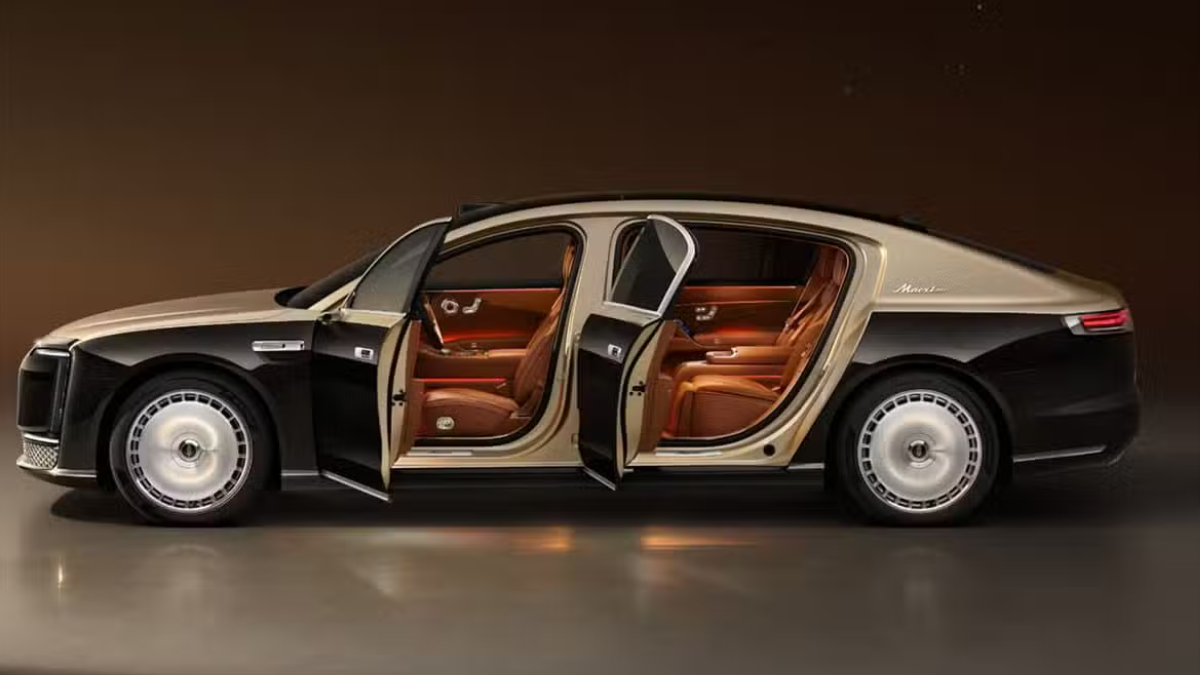
    Huawei Maextro S800 ultra

    Huawei Maextro S800 ultra luxury sedan outsells Mercedes Maybach in China

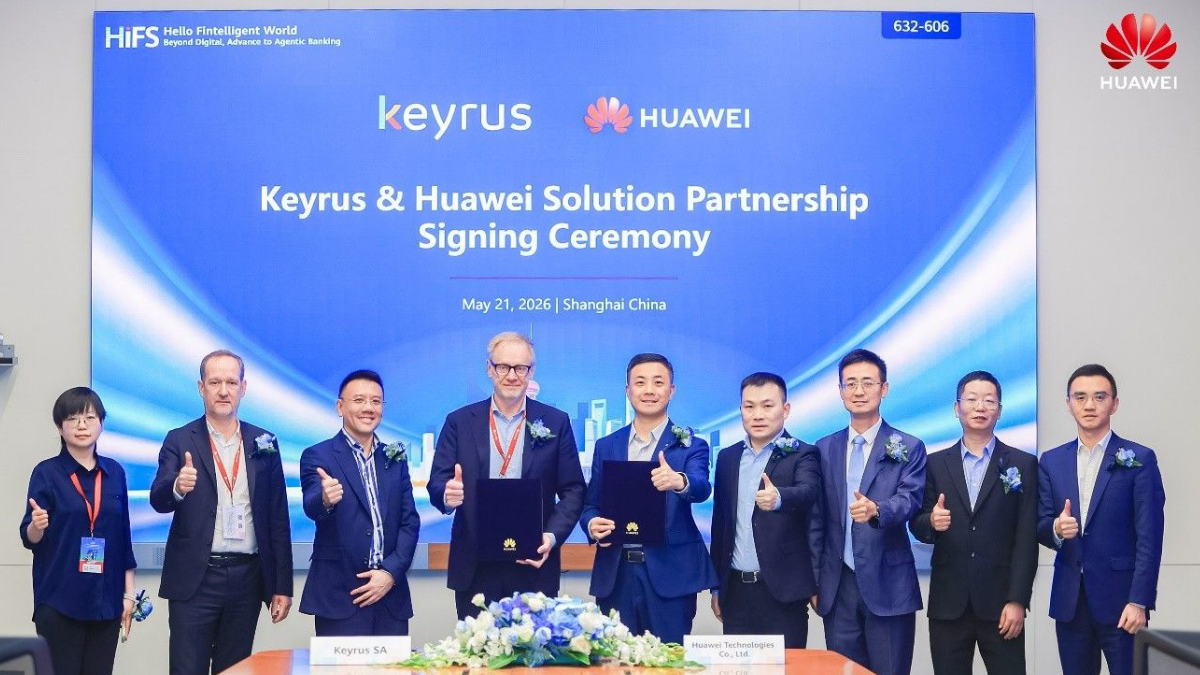
    Huawei Keyrus

    Huawei partners with Keyrus to scale data and AI tools in global markets

    Huawei Logo Image - Credit Unsplash

    Huawei Ascend chips reach major milestone in new DeepSeek AI update

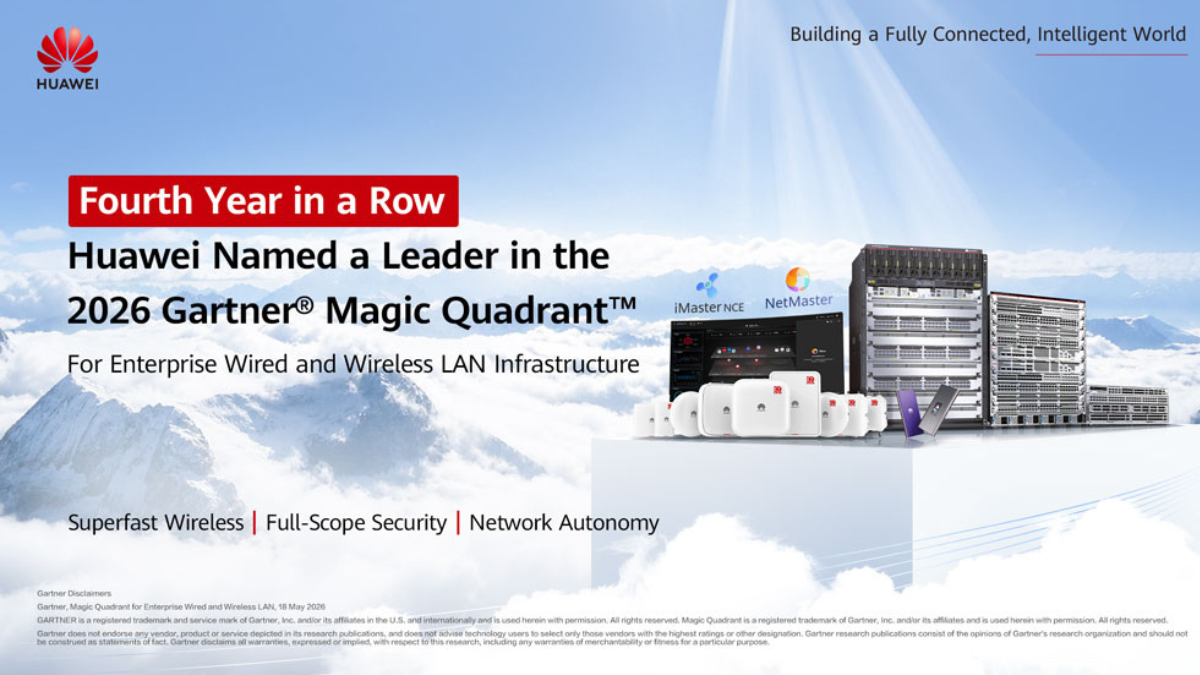
    Huawei Gartner 2026 image

    Huawei Named Leader in 2026 Gartner Wired and Wireless LAN Infrastructure Magic Quadrant

    Trending Tags

    • Mate 50
    • P40
  • Send A Tip
  • Home
  • HarmonyOS
    • HarmonyOS History
  • EMUI Updates
    • EMUI History
  • News
    Huawei Mate 80 Pro

    Huawei Mate 90 Hardware Upgrades & INSPIRE 2026 Cloud News

    MTN Zambia and Huawei

    MTN Zambia and Huawei, have teamed up to fix a big problem

    Huawei & Angola Partner

    Huawei & Angola Partner for Smart Grid Transformation & Green Energy

    Huawei Mate 90 news

    Huawei Mate 90 Series Sales Date: Flagship Timeline Revealed Early

    Huawei Nova 16 Ultra

    Huawei Nova 16 Ultra launched with 200MP camera and 7000mAh battery

    Huawei Maextro S800 ultra

    Huawei Maextro S800 ultra luxury sedan outsells Mercedes Maybach in China

    Huawei Keyrus

    Huawei partners with Keyrus to scale data and AI tools in global markets

    Huawei Logo Image - Credit Unsplash

    Huawei Ascend chips reach major milestone in new DeepSeek AI update

    Huawei Gartner 2026 image

    Huawei Named Leader in 2026 Gartner Wired and Wireless LAN Infrastructure Magic Quadrant

    Trending Tags

    • Mate 50
    • P40
  • Send A Tip
No Result
View All Result
HUpdate
No Result
View All Result
Home EMUI 10

Huawei Push Kit now allows you to create interactive push notifications

Min by Min
April 10, 2020
in EMUI 10, Huawei Mobile Services
0
Huawei Push Kit
155
SHARES
1.9k
VIEWS
Share on FacebookShare on Twitter

Huawei Push Kit is a part of the Huawei HMS (Huawei Mobile Services) growth/core kit that Improves targeting and responsiveness when engaging users. Now, the Huawei Push kit allows you/developer to create interactive push notifications, with custom buttons, which allow you to obtain in-depth insights into user behavior.

Huawei Push Kit interface has been updated on the console, to provide for one-stop notification configuration and preview, facilitating enhanced efficiency across the board.

READ ALSO

Huawei refurbished Nova 9 Pro pricing starts at 2,199 yuan in China

Huawei-based Smart Railway Perimeter Detection Solution gets public

Note: The compatible version is EMUI 10 or later, and requires versions 10.1.0.361 or later of the Push Service app.

One-Stop Configuration Boosts Operational Efficiency to New Heights

The company has now optimized the operating interface for HUAWEI Push Kit on the console to provide for highly-convenient, one-stop notification services. You can create a push notification, complete all relevant configurations, and send the notification to users – all on a single page.

Here’s the Huawei Push Kit console steps,

Click the Add notification button. On the displayed page, you can set the notification content, push scope, push time, and other parameters as required.

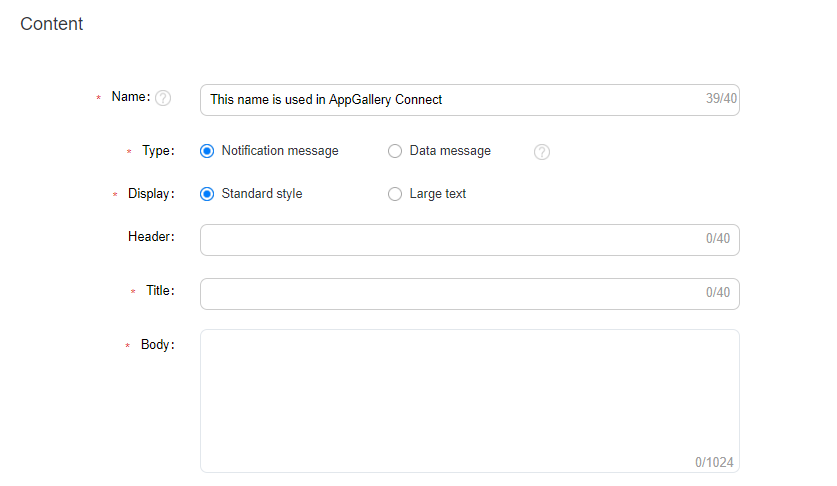
1. Set notification content.
Huawei Push Kit-1

Type: Notification messages use a pre-defined format, which does not need to be processed by the app before the message is displayed. Data messages support custom formats, which do not need to be processed by the app before the message is displayed. In the steps below, we have used notification messages as an example.

Display: Select the standard style or the large text style as needed. You can enter your app name in the Header text box to make the message more recognizable.

Title and Body: Provide the message title and the corresponding body. An appealing title/body can help you attract users’ interest.

2. Add a custom notification button.

You can add one to three buttons and set an action corresponding to each button.

If you add an Open app button, you can set the page to be opened as the homepage, custom action page, or custom intent URI page.

Huawei Push Kit-web page

If you add an Open web page button, you will need to provide the URL for the web page.

Huawei Push Kit-web page share

If you add a Share button, you will need to enter the text or link to be shared.

Huawei Push Kit-web

You can also add the Clear notification button, which enables users to clear the notification message.

Huawei Push Kit-web page notification

While you are adding buttons, a preview of the buttons will display to the right, allowing you to check and optimize how the notification message is presented.

You can also set actions for notification messages, without having to define the custom buttons. When the user taps the message under this scenario, they can open the corresponding apps or web pages as desired.

3. Set the push scope.

HUAWEI Push Kit allows for three push scopes: Specified device, Audience, and Subscriber.

Set the push scope-1 Set the push scope-2 Set the push scope-3

4. Set the push time.

You can set the push time based on the time zone. You can set different push frequencies, for example, one-off and periodic, depending on the nature of the notification.

After completing the preceding configuration, then click Submit. The notification message that you have configured will be delivered to the target users via Huawei’s efficient and highly-reliable push channels.

Huawei Mobile Services (HMS) Resources:

  • Development Guide
  • API Reference
  • Sample Code
  • SDK Download
Tags: HMSHuaweiHuawei HMSHuawei Mobile ServicesHuawei Push Kit

Related Posts

Huawei refurbished Nova 9 Pro pricing starts at 2,199 yuan in China
HarmonyOS 3

Huawei refurbished Nova 9 Pro pricing starts at 2,199 yuan in China

March 21, 2023
Huawei-based Smart Railway Perimeter Detection Solution gets public
Huawei 5G

Huawei-based Smart Railway Perimeter Detection Solution gets public

March 14, 2023
Huawei released a seven-country survey of women perception of their digital skills (1)
Huawei Mobile Services

Huawei released a seven-country survey of women perception of their digital skills

March 14, 2023
Huawei helping global telecoms to accelerate digital transformation
Huawei Mobile Services

Huawei helping global telecoms to accelerate digital transformation

March 14, 2023
Huawei-P30-Lite
EMUI 10

Huawei P30 Lite getting April 2022 patch update in Europe

May 27, 2022
Huawei P Smart Pro March 2022 security patch
EMUI 10

Huawei P Smart Pro getting March 2022 security patch update [Turkey]

April 16, 2022

POPULAR NEWS

Huawei Health App Update

Huawei Health App Update 2026: New AI Features

July 15, 2026
Stable EMUI 12 2023

Updated EMUI 12 plan for Global users [January 2023]

January 19, 2023
Huawei EMUI 13 Eligible Devices

Huawei EMUI 13 Eligible devices for global market

March 22, 2023
Download and Install EMUI 10

Download and Install EMUI 10 on any Huawei phone

February 11, 2020
Huawei Music

Huawei Music Latest 2026 Update

May 28, 2026

EDITOR'S PICK

Huawei Introduces AI Model Pangu 3.0

Huawei Introduces AI Model Pangu 3.0

July 14, 2023
Huawei Watch Fit 1.0.5.12

Huawei Watch Fit latest 1.0.5.12 update adds the unlock password feature in Europe

July 15, 2021
OpenHarmony 3.0 (1)

OpenHarmony 3.0 is coming

September 30, 2021
Honor 20 EMUI 10

O2 and Three UK rolling EMUI 10.0.0.184 for Honor 20 series

March 4, 2020

About

HUpdate brings you the latest Huawei news, HarmonyOS & EMUI updates, firmware releases, and device coverage — all in one place. Stay updated with accurate, timely Huawei tech news.

Categories

  • Android
  • Ark OS
  • Deal
  • EMUI
  • EMUI 10
  • EMUI 10 Timeline
  • EMUI 10.1
  • EMUI 11
  • EMUI 12
  • EMUI 13
  • EMUI 14
  • EMUI 9.1
  • Game
  • Guides And How-To
  • Harmony OS 2
  • HarmonyOS 3
  • HarmonyOS 4
  • HarmonyOS 5
  • Hongmeng
  • Honor Products
  • Huawei 5G
  • Huawei Apps Apk
  • Huawei Mobile Services
  • Huawei News
  • Huawei Phones
  • Huawei Weekly Report
  • Magic UI 3
  • Magic UI 3.1
  • Magic UI 4.0
  • News
  • Tips And Tricks
  • Uncategorized
  • Updates

Recent Posts

  • Huawei Health App Update 2026: New AI Features
  • Huawei Mate 90 Hardware Upgrades & INSPIRE 2026 Cloud News
  • MTN Zambia and Huawei, have teamed up to fix a big problem
  • Huawei & Angola Partner for Smart Grid Transformation & Green Energy
  • About Us
  • Privacy Policy
  • Sitemap
  • Send A Tip

© 2026 HUpdate

No Result
View All Result
  • Home
  • HarmonyOS
    • HarmonyOS History
  • EMUI Updates
    • EMUI History
  • News
  • Send A Tip

© 2026 HUpdate

Go to mobile version